Advanced Floating Content
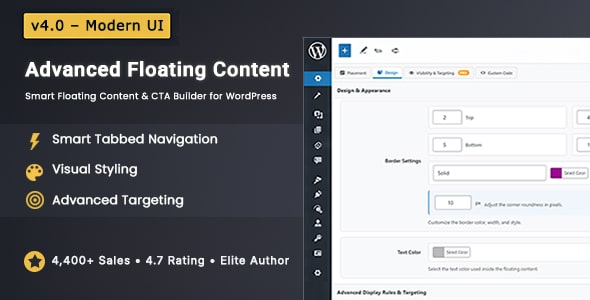
Advanced Floating Content — Smart Floating Bars, CTAs & Promos for WordPress
Create high-impact floating content that stays visible at the right time — without annoying your visitors. Build announcement bars, floating CTAs, videos, lead forms, WooCommerce promos, and custom widgets using a clean, redesigned interface built for real websites.
Why Advanced Floating Content Exists
Most visitors scroll fast, skim content, and leave. Important messages disappear in seconds. Advanced Floating Content fixes that by keeping your key content visible — naturally — while users browse.
Stop Letting Important Messages Get Ignored
Keep announcements, offers, and CTAs visible exactly when visitors are ready to act — without popups or distractions.
No aggressive popups. No broken layouts. Just smart, flexible floating content that works.
What’s New in v4.0 — A Major Experience Upgrade
v4.0 isn’t just an update. It’s a faster, cleaner, and smarter way to create floating content.
Everything has been redesigned to reduce friction, improve clarity, and help you build in seconds — not minutes.
Completely Redesigned Admin Interface
A modern, clean admin UI with smart sticky navigation and a clear visual hierarchy, so you always know where you are and what to do next.
Faster Workflow with Smart Tabs
Jump instantly between Placement, Design, Visibility & Targeting, and Custom Code — no endless scrolling, no clutter, no confusion.
Smooth Scroll Navigation
Click any tab and land directly on the related settings with smooth scrolling and visual focus. You always know where you are and what you’re editing.
Built for Real Users
Fully compatible with Gutenberg and the Classic Editor. Touch-friendly, accessible, and comfortable to use on all screen sizes.
Built Faster. Cleaner. Smarter.
v4.0 streamlines floating content creation with a redesigned UI, smarter navigation, and a workflow that stays out of your way.
Key Features at a Glance
Everything you need to create high-impact floating content — flexible, powerful, and built for real websites.
- Unlimited Floating Elements — No limits on bars, CTAs, or widgets
- Smart Tabbed Navigation — Faster setup with organized, instant access
- Precise Placement & Positioning — Fixed, absolute, or scroll-based layouts
- Advanced Targeting Rules — Page, post, category, device, user role & more
- WooCommerce Targeting & Display — Show offers exactly where buyers convert
- Sticky Announcement Bars — Top or bottom, sticky or layout-integrated
- Advanced Animations & Motion Effects — Smooth entrance and exit transitions
- Display Scheduling & Timing — Auto start/end dates, impressions & urgency
- Custom Design & CSS Control — Full styling freedom without limitations
- IP Blacklisting & Access Control — Hide content from competitors or users
- WPML Compatible — Build multilingual floating content
- 24/7 Dedicated Support — Real help when you need it
Precise Placement & Positioning Controls
Decide exactly where your floating content appears and how it behaves on every screen.
Flexible Content Behavior
Choose how your content reacts while users scroll:
- Fixed — stays visible while scrolling
- Absolute — stays inside a defined area
- Scroll-Based — appears naturally as users move
Screen Placement Options
Place content exactly where it converts best:
- Top, Bottom, Left, or Right
- Pixel-perfect margins (top, right, bottom, left)
- Responsive positioning for all screen sizes
Put Content Where It Performs Best
Top, bottom, side, scroll-based, or fixed — you’re always in control.
Sticky Announcement Bars
Create full-width announcement bars that stay visible without breaking your layout.
Two Display Modes
Choose how your announcement bar integrates with your site:
- Sticky Mode — Locks to the top or bottom of the screen
- Integrated Mode — Pushes content naturally without overlap
Professional Design & Appearance Controls
Match your brand perfectly — without touching code.
- Close Button Options — Standard button, anchor link, or none
- Flexible Button Positioning — Top or bottom corners
- Content Width & Padding — Pixel-perfect layout control
- Borders & Corners — Rounded or sharp, fully customizable
- Background Options — Solid color, image, or transparent
- Text Styling — Font size, colors, and contrast control
Smart Visibility & Targeting Rules
Show the right message to the right users — and hide it from everyone else.
Precision targeting without complexity.
Page & Content Targeting
- Control where your floating content appears.
- Homepage, archive pages & search results
- All posts, selected posts, or specific IDs
- All pages or selected pages only
- Categories, custom post types & CPT items
User, Device & Location Targeting
- Control who sees your message.
- Logged-in users or all visitors
- User role targeting
- Desktop or mobile visibility control
- Operating system targeting (Windows, macOS)
- Country-based & IP-based visibility
Scroll & Viewport Logic
- Control when content appears.
- Show content after scrolling a specific height
- Hide content after a scroll threshold
- Show or hide based on screen width
Perfect for attention-based triggers — without being intrusive.
Impression & Repeat Control
- Avoid overexposure. Stay effective.
- Global display limits
- Per-user impression limits
- Control reappearance after closing
Why This Matters
Show the Right Message to the Right Visitors
Stop blasting everyone with the same content. Target by device, user role, page, scroll behavior, and more.
WooCommerce Promotion Engine
Turn floating content into a sales machine.
- Product Types — Latest, featured, on-sale, best-selling, or selected products
- Flexible Layouts — Inline or stacked product display
- Visible Elements — Image, title, price, and add-to-cart button
- Smart Targeting — Shop pages, product pages, or both
Turn Browsers into Buyers
Promote products while customers browse — without interrupting their shopping experience.
Dynamic Content Support
If it works in WordPress, it can float.
- Shortcodes & third-party plugins
- Custom HTML & rich text
- YouTube, Vimeo & hosted videos
- Dynamic latest posts (auto-updating)
Already Using Plugins, Shortcodes, or Widgets?
If it works in WordPress, it can float — seamlessly.
Scheduling, Timing & Motion Effects
Perfect for timed campaigns & flash offers.
- Start & end dates for automatic campaigns
- Display delay (seconds-based)
- Auto-close after a defined time
- Smooth entrance & exit animations
Schedule content, delay it, animate it, and auto-hide it — all without manual work.
Advanced Customization for Developers
Power when you need it. Simplicity when you don’t.
- Custom CSS styling
- Separate mobile-specific CSS
- Clean, extensible, developer-friendly codebase
Performance Focused
Fast, lightweight, and built for production websites.
- Optimized code with no performance impact
- Works smoothly even with multiple floating elements
Who Is This Plugin For?
Built for real websites — not just demos.
- Marketers — Promotions, announcements, lead generation
- WooCommerce Stores — Sales banners & product highlights
- Agencies — Reusable setups for multiple clients
- Bloggers & Creators — Smart CTAs & notifications
- Developers — Flexible, extensible, reliable
Everything You Need — No Add-Ons, No Subscriptions
One plugin. One payment. Unlimited floating content possibilities.
Pricing – One-Time Payment
Regular License — $30
Use on one website. Lifetime updates.
Pricing – One-Time Payment
Extended License — $160
Create an end product for sale to clients.
- No subscriptions
- No renewals
- Pay once, use forever
Trusted & Actively Maintained
Used by 4,400+ websites with a 4.7★ average rating.
Includes 6 months of support, detailed documentation, and ongoing updates.
Ready to Take Control of Your Website Visibility?
Stop hiding important messages. Start converting more visitors today.
Buy Advanced Floating Content v4.0 Now
What Our Customers Are Saying
Change Log
Version 4.0 January 5, 20261-Added redesigned admin UI with improved navigation 2-Added sticky metabox navigation system 3-Added Announcement Bar / Sticky Bar (Sticky or Integrated) 4-Improved admin layout and form usability 5-Improved Gutenberg and Classic Editor integration 6-Improved ARIA labels 7-Refactored admin scripts and styles 8-Improved license validation and status handling 9-Improved accessibility and keyboard navigation 10-General performance and stability improvementsVersion 3.8.5 August 24, 2025
1. Add Feature - WooCommerce Products in floating content (Latest Products, On Sale Products, Custom Product Ids, Featured Products) 2. Bugs Fixed - Conflict of Latest Posts with floating content description 3. Bugs Fixed - CSS for Latest Posts
Version 3.8.4 May 17, 2025
1. Add Feature - Analytics: Close Button Click Tracking: Added support for tracking how many times the floating content's close button is clicked. The analytics column now displays both views and close counts in the format: X (views) / Y (close count).
Version 3.8.3 December 20, 2024
1. Fixed: Vulnerability - SQL Injection in 'floating_content_duplicate_post' function. (Credit: Thái An via Wordfence)
Version 3.8.2 April 16, 2024
1. Bug Fixed - Fatal error on License Validation Page 2. Bug Fixed - Duplicating Floating Content at bottom of the page
Version 3.8.1 March 7, 2024
1. Add Feature - Latest Posts Displayed inside floating content. Latest Posts or Custom Post IDs Both are supported 2. Bug Fixed - Default user role to display floating content to every body
Version 3.8.0 November 27, 2023
1. Add Feature - Added the ability to conditionally display floating content based on user roles, Users with roles specified in the backend settings will now see the floating content.
Version 3.7.9 August 25, 2023
1. Bugs Fixed - Replace deprecated functions 2. Add Feature - Add a Live Preview button for previewing before publish
Version 3.7.8 May 06, 2023
1. Fixed Bug - Background Transparent Color When Update (i.e When Transparent Background Color Saved it does not load transparent when editing)
Version 3.7.7 December 16, 2022
1. Fixed Bug - Activation Error when validating License key with Envato API Data
Version 3.7.6 November 03, 2022
1. Bugs Fixed - Multiple Auth. (contributor+) Cross-Site Scripting (XSS) vulnerabilities
Version 3.7.5 August 17, 2022
1. Bugs Fixed - Count Same Impressions even hide on mobile or desktop
Version 3.7.4 April 25, 2022
1. Bugs Fixed - Do Not Display Again with Re-Apear after some time i.e days
Version 3.7.3 January 15, 2022
1. Bugs Fixed - Color Picker input control and text overlapping
Version 3.7.2 October 16, 2021
1. Feature Added - Added Default English Language (.pot) file 2. Bugs Fixed - Redisplay after the close floating content when used time delay function
Version 3.7.1 July 18, 2021
1. Add Compatibility with PHP 8
Version 3.7.0 July 05, 2021
1. Optimized code with latest code structure 2. Remove unwanted code 3. Convert every single text to translatable string
Version 3.6.9 March 04, 2021
1. Feature Added - Display on Selective Posts Inside Custom Post Types
Version 3.6.8 November 03, 2020
1. Feature Added - Fill available width on 100% width 2. Fixed Bug - Undefined Variables for ips
Version 3.6.7 July 07, 2020
1. Feature Added - Upload Background Image or Color in Floating Content Theme
Version 3.6.6 June 01, 2020
1. Feature Added - Display Again After XXX Time to close with Do Not Display Again Feature Enabled 2. Feature Added - Auto Close Floating Content after XXX Time to load
Version 3.6.5 May 11, 2020
1. Feature Added - Compatible with Elementor Plugin
Version 3.6.4 April 07, 2020
1. Feature Added - Display Floating Content as Sticky Header or Footer with top or bottom of the page
Version 3.6.3 March 21, 2020
1. Feature Added - Display on Selected IP Addresses Only
Version 3.6.2 January 03, 2019
1. Feature Added - Hide on Selective Posts 2. Feature Added - Hide on Selective Posts By Post IDs 3. Feature Added - Hide on Selective Pages 4. Feature Added - Hide on Selective Pages By Page IDs 5. Feature Added - Hide on Selective Categories 6. Feature Added - Hide on Selective Categories By Categories IDs
Version 3.6.1 December 03, 2019
1. Fixed Bug - Display floating content Ads in local time zone with empty dates
Version 3.6.0 November 21, 2019
1. Add Feature - Local Time Zone for displaying Ads (Now you can start and end Ads in your local time zone) 2. Add Feature - Fix Height for iframe embedding
Version 3.5.9 October 8, 2019
1. Add Feature - Add Compatibility with Default All Gutenberg Editor Shortcodes
Version 3.5.8 August 31, 2019
1. Fixed Bug - Compatible with WMPL 2. Fixed Bug - IP Address Fetch API
Version 3.5.7 June 12, 2019
1. Fixed Bug - Reappear after close on certain width 2. Fixed Bug - Reappear after close on certain height
Version 3.5.6 March 20, 2019
1. Fixed Bug - Fatal error after update to latest version
Version 3.5.5 March 15, 2019
1. Add Feature - Control Impression Per User
Version 3.5.4 February 08, 2019
1. bug fixed – Validate Advanced Floating Content features at bottom
Version 3.5.3 February 05, 2019
1. add feature – Optimized for Gutenberg Editor 2. bug fixed – Activation Error for WPML users on some hosting servers 3. bug fixed – Undefined Variable posts on some hosting servers
Version 3.5.2 January 22, 2019
1. add feature – display after some time spent i.e countdown counter in 5 minutes
Version 3.5.1 December 4, 2018
1. bugs fixed – header already sent warning message on plugin activation 2. bugs fixed – shows all pages with child pages in selective pages admin 3. add feature – display on selective posts by post ids 4. add feature – display on selective pages by page ids 5. add feature – display on selective category by category ids
Version 3.5.0 November 19, 2018
1. Add Feature – Add more domains tld for validating domains 2. Bug Fixed – License validation on SSL enabled servers 3. Bug Fixed – Localhost IP checking on license validation 4. Bug Fixed – notice on empty impressions while counting total impressions
Version 3.4.9 November 1, 2018
1. Add Feature – Compatibility with WPML 2. Bug Fixed – Undefined variable user agent
Version 3.4.8 October 16, 2018
1. Bug Fixed – Removed Front Page from All Pages in admin area 2. Bug Fixed – is_page() and is_front_page() both true 3. Bug Fixed – IP address validation for development server 4. Bug Fixed – Display on Selective Category 5. Add Feature – Predefined CSS added for floating content instead of blank floating content
Version 3.4.7 October 1, 2018
1. Bug Fixed – Update Envato API From old which are limited.
Version 3.4.6 September 27, 2018
1. Bug Fixed – Warning Notice on some hosting servers 2. Bug Fixed – Add iPhone in mobile device category 3. Bug Fixed – License Validation for localhost development server
Version 3.4.5 September 8, 2018
1. add a feature to use on development servers like wpengine or flywheelsites 2. add features to use on IP based domain as development server like 192.192.192.192
Version 3.4.4 June 26, 2018
1. Added feature close button position top-left, top-right, bottom-left, bottom-right 2. Added feature close floating content with anchor tag without button
Version 3.4.3 May 15, 2018
1. Fixed bug $responsive_css showing on console 2. Fixed bug $jquery_main showing on console 3. Fixed bug rating onclick event
Version 3.4.2 April 24, 2018
1. Fixed bug Show on Selective Pages 2. Fixed bug Show on Selective Countries
Version 3.4.1 April 4, 2018 And April 6, 2018
1. Fixed bug to display on all pages which missing few pages
Version 3.4.0 April 1, 2018
1. Added feature to display on certain countries 2. Added feature to auto-schedule with start and end date 3. Added feature to limit impressions so it will be stopped showing after xxx no of impressions 4. Added feature to manage do not display again IP 5. Added feature background color to close button 6. Fixed bug conflict with Divi theme builder 7. Fixed bug do not display again with clicking on close button
Version 3.3.9 February 26, 2018
1. Fixed Do not Display Again
Version 3.3.8 February 24, 2018
1. Fixed Close Button Icon Issue
Version 3.3.7 February 22, 2018
1. Fixed Hide and Display on Certain Height
Version 3.3.6 February 15, 2018
1. Added WooCommerce Categories 2. Added Alt tag for the closing icon to improve seo
Version 3.3.5 January 25, 2018
1. Fixed – Fatal error on plugin update
Version 3.3.4 January 22, 2018
1. Added – WooCommerce Landing Page Hide/Display 2. Updated – Control Devices – With desktop/laptop and mobile / smart phones
Version 3.3.3 November 29, 2017
1. Added – Control Other Devices Feature(windows or mac OS)
Version 3.3.2 October 27, 2017
1. Fixed – localhost using bug..
Version 3.3.1 October 11, 2017
1. Added – Animation to floating content onload and onclose.
Version 3.3.0 September 8, 2017
1. Added – Build your IP address Blacklist To Banned IP address for displaying content
Version 3.2.9 August 29, 2017
1. Fixed bug – display total number of floating content in bottom 2. Fixed bug – preserve the top margin when scrolling
Version 3.2.8 August 27, 2017
1. Add feature – display floating content only to logged in users
Version 3.2.7 August 12, 2017
1. bug fixed for nested floating content on same page
Version 3.2.5 April 08, 2017
1. Fixed bug which displaying the total number of floating content found at bottom of the page
Version 3.2.4 March 23, 2017
1. Add Support for bbPress.
Version 3.2.3 March 3, 2017
1. Fixed zip file which causing unable to install plugin.
Version 3.2.2 February 24, 2017
1. Fixed the onload issue with display on certain width.
Version 3.2 February 14, 2017
1. fixed activation bug
Version 3.1.2 January 24, 2017
1. Updated the screenshots
Version 3.1.1 November 25, 2016
1. Fix bug – Embedded Video stops on closing floating content
Version 3.1.0 October 21, 2016
1. Add Scrolling Floating Content when page scroll 2. Add Option for Archive Pages 3. Add Show on Certain Height 4. Add Hide on Certain Height 5. Add Show on Certain Width 6. Add Hide on Certain Width 7. Add Option for responsive and non-responsive 8. Add Option for Hide/Show on Mobile devices
Version 3.0.9 July 27, 2016
1. Update the documentation with images so buyer get not confused.
Version 3.0.8 July 5, 2016
1. fix the mobile css
Version 3.0.7 May 11, 2016
1. bug fixed - displaying many floating content on same page simultaneously
Version 3.0.6 May 5, 2016
1. update the license checker issue due to slow response from API, having issue with licence activation properly.
Version 3.0.5 April 18, 2016
1. fix the woocommerce in selective products 2. fix php warning errors in front end remove the rating box from admin panel
Version 3.0.4 April 13, 2016
1. added feature to display on search pages fix bug on search pages for some hostings.
Version 3.0.3 April 4, 2016
1. fix alert message notification on click event.
Version 3.0.2 March 7, 2016
1. Fixed the rating notice once closed then nerver show again
Version 3.0.1 February 24, 2016
1. fix license page fix the shortcode breaking fix the close icon background
Version 3.0 February 18, 2016
1. add feature ThemeBuilder 2. Optimized Code 3. Hide in certain width on page scroll 4. Display in certain height on page scroll
Version 2.9.1 February 12, 2016
1. add feature for display on certain height 2. add feature hide of certain width 3. add feature hide on mobile devices
Version 2.9 January 31, 2016
1. Add custom css for mobile devices.
Version 2.8 September 24, 2015
1. Fix Cloning the content for some host. 2. Fix the WooCommerce Landing Page.
Version 2.7 September 9, 2015
1. Fix the cross icon path in innerpages to display properly.
Version 2.6 August 28, 2015
1. WPML Ready – Can be Translated text into any language.
Version 2.5 July 14, 2015
1. Fix minor PHP Bug
Version 2.4 June 30, 2015
1. Add WooCommerce Support 2. Add Clone Floating Content
Version 2.3 June 2, 2015
1. Improve Coding structure 2. Fix some php bugs
Version 2.2 May 14, 2015
1. Fix show on pages which is showing on many pages if they have similar page ids
Version 2.1 April 28, 2015
1. Fix jquery and php bugs
Version 2.0 April 22, 2015
1. Fix some php bugs.
Version 1.9 April 13, 2015
1. Add Support for custom post types.
Version 1.8 March 17, 2015
1. Add more control over content with stay fixed on some position or scroll out the content by selecting position absolute.
Version 1.7 March 5, 2015
1. Add Shortcode useability to use with this plugin, now any shortcode can be used in this plugin. such as a contact form or newsletter.
Version 1.6 March 2, 2015
1. Add upgrade script which automatically detects your version and upgrade it to the latest version.
Version 1.5 February 20, 2015
1. Add Device Control Option, Choose the option to make it responsive or hide on other devices.
Version 1.4 February 7, 2015
1. Fixed some jQuery Bugs.
Version 1.3 February 4, 2015
1. Add control on impressions (enable the option from the panel and if the user close it then it won't display anymore)
Version 1.2 January 22, 2015
1. Add more control on borders for defining top, left, bottom, and right borders separately.
Version 1.1 January 7, 2015
1. add responsive feature for auto fit into mobile devices.
Version 1.0 January 5, 2015
1. initial release