Amazing HRM & Payroll
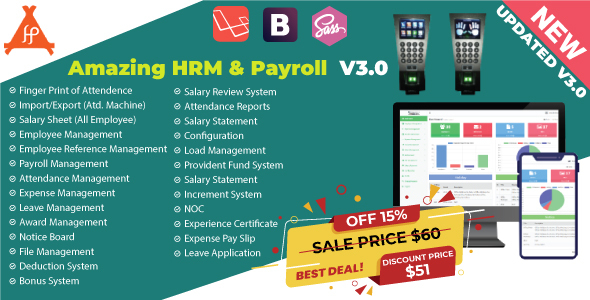
Click on live Demo link here: https://amazingsoft.live/amazing-hrm-payroll-v3/  This application based on new Latest Laravel 7.0 Framework. Human Resource Management system(HRM) & Payroll has become one of the most important tools for any corporate environment. It’s very easy for any kind of businesses and helps to keep the HR & Payroll department clean and clear. Amazing HRM & Payroll software is not just a visualize it’s now become an essential software for maintaining every corporate office. Any company can use it for their regular tasks, employee workforce management and account management. Amazing HRM & Payroll is designed latest security Technology and it is ready for high availability web application. Documentation For documentation Go here: Documentation
You can view a demo installation by following this link: Installation Demo
You can view a demo by following this link: Live Demo
Admin:
ID: [email protected]
Password: demo
Admin Live Demo
Employee:
ID: [email protected]
Password: demo
Employee Live Demo
Features:
Integrated the Finger Print Attendance Machine Import/Export the Finger Print Attendance File Salary Sheet Bonus, Credit Facility, Salary Deduction and provident fund management Employee management Attendance management with report Employee Attendance report Customize salary Statement Complete payroll management with report Award management Leave management with report Employee role management Notice board management Holiday management Complete expanse management with report Fully HRM Management Fully Payroll Management Create Salary Template monthly Employee Clock Attendance Manage Time Change Requests Attendance Reports Create Leave Category Set Leave Quota Approve / Reject Leave Applications Create/Delete Department Create/Delete Designation as required Employees Add, Update, Delete or Block Set Employee Access Roles Employee Awards Award Money Give Gift Itemst Employee Get Notified Easy User Interface Beautiful Dashboard Very Easy Setup and Installation Easy Tab Interface And Many More Team management Informative dashboard File sharing and team conversation Task management Beautiful file preview and comments Invoice management Save PDF any report Expense payments report Custom permissions for team members Event calendar Private notes Leave management Employee details view Announcement/notice management Report printing and export Easily accessible UI NOC Leave Application Experience Certificate Expense Slip
You can view a demo installation by following this link: Installation Demo
You can view a demo by following this link: Live Demo
Admin:
ID: [email protected]
Password: demo
Admin Live Demo
Employee:
ID: [email protected]
Password: demo
Employee Live Demo
Features:
Step 01: Open and start the Attendance Machine Software
Step 02: Click the OK Button
Step 03: Select the Device and Click the Connect in the software
Step 04: Create All Employee Records like Enrollment or Registration
Step 05: After recorded, must be Upload and Download from left Button
Step 06: Select the report for calculatation by date wise.
Step 07: View the attendance reports by the dates
Step 08: Export the Attendance Report
Step 09: Save the Attendance Report in your PC
Step 10: Export the Attendance Report in your HRM Software
Manage the Device of Attendance Machine
Step 01: Setup the Attendance Machine by IP Step 02: Select the User Management in the Machine Step 03: Go to the All User Management Step 04: Select the One User and go Step 05: Select the finger for print by the user