Appointment Booking WordPress Plugin by MotoPress
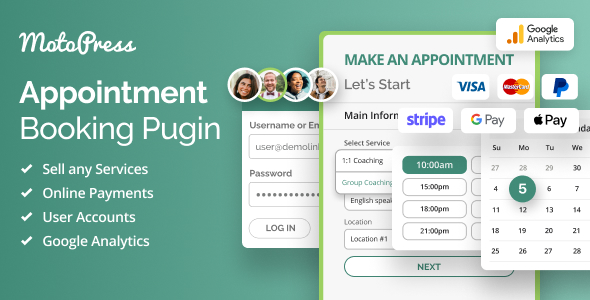
MotoPress Appointment Booking is an appointment scheduling plugin for WordPress designed to maximize your service sales, whether you operate in the beauty, sports, education, or any other industry. Perfect for one-to-one appointment booking, group scheduling, and events.
- Plugin Demo
- Dashboard Demo
- Video Guides
- Documentation
Automated 24/7 online booking, personal accounts for your customers & staff, automated SMS and emails reminders, Google Calendar sync, unlimited locations and services, flexible employee scheduling options, online payment processing and many more features to help you automate and simplify day-to-day operations in your service business.
Ultimate Solution for Medicine, Beauty & Education Sectors
Whether you provide consultations as an attorney or sell beauty services, this is a solution to help you automatically schedule appointments with your clients on WordPress.
The MotoPress Appointment Booking plugin is designed for any service industry, from barber shops and hairdressers to sports institutions and clinics.
PayPal, Stripe, Apple Pay, Google Pay & More Gateways
Accept payments online via the booking calendar with numerous built-in gateways, including PayPal, Stripe, digital wallets, direct bank transfer, or pay-at-the-office methods. Charge full or partial payment in advance.
Secure and convenient online payment processing is guaranteed for your customers.
*MotoPress is a verified Stripe partner.
Seamless WooCommerce & Square Integration
We crafted several payment processing extensions to help you further increase the list of payment processors you can offer to your clients:
- The WooCommerce integration addon gives access to 40+ free and premium gateways popular in different regions of the world.
- The Square integration add-on seamlessly connects credit card and gift card payments.
Note: These premium extensions are not included with the MotoPress Appointment Booking plugin but can be purchased separately.
Mobile-friendly Booking Widget & Availability Calendar
Receive online bookings via a mobile-optimized, beautifully designed, and fast-loading booking widget. Customize it to suit your business needs and place it on your WordPress website in seconds.
With real-time availability for your slots, you never get overbooked and provide outstanding booking experiences for users on any device.
Group Booking for Multiple Participants
Multiple bookings per time slot are available!
Offer flexible ticket or spot quantities for each service or activity.
Group scheduling will let multiple independent customers book the same time slot for events such as fitness classes, theater performances, kayak rentals, or museum tours.
Automated Appointment Reminders via Email
Reduce no-shows and improve client communication with automated reminders:
- Automated email appointment reminders.
- Customize when to send reminders.
- Send reminders to your staff & clients.
Appointment Confirmation & Cancelation Emails
Get immediate email notifications on all booking status changes. Easily brand the content and style of both admin and customer email notifications.
Reduce client waiting time and enable faster booking management.
Automated Reminders via SMS
With the custom-crafted Twilio integration add-on, you can send automated SMS notifications upon appointment confirmation, cancelation and payment completion, or even send micro-targeted marketing messages before or after appointments!
Note: This is a premium extension that is not included with the MotoPress Appointment Booking plugin but can be purchased separately.
Ready-to-Go Zoom & Google Meet Integration
Are you providing online appointments with Zoom or Google Meet? Fully automate the process of scheduling online meetings in these apps with the dedicated WordPress Video Conferencing add-on integration. You don’t have to manually set up and send meeting links, everything is done automatically once the appointment is booked. Easily sell virtual consultations, online classes, or any type of remote service to individuals and groups.
Note: This is a premium extension that is not included with the MotoPress Appointment Booking plugin but can be purchased separately.
Personal Customer Accounts for Streamlined Scheduling
Streamline appointment scheduling for returning customers with a personal account! Choose between automated account creation at checkout or opt-in account registration.
With personal accounts, your customers will love faster booking (of course, the plugin will remember the content they once provided!) and access tools to view their past and upcoming appointments.
Individual Staff Accounts
We’ve embraced WordPress user roles to establish ‘employee accounts’. It will help you provide every staff member with a personal account to view payments, assigned bookings, services they provide, get booking notifications to their Google Calendar, and more!
Google Analytics Integration with the Booking Widget
We built dedicated Google Analytics integration with our appointment scheduling software to help you track ecommerce data sent through the booking widget!
It makes it easy to get data-driven insights on the number of bookings made, identify popular services, and learn more about customer behavior.
Note: This is a premium extension that is not included with the MotoPress Appointment Booking plugin but can be purchased separately.
Unlimited Services
The MotoPress appointment scheduling software for WordPress gives you the agility you need to maximize sales of your services:
- Offer services with different durations.
- Add buffer times before and after each appointment to allow for smooth transitions between them.
- Set maximum and minimum capacity for appointments for each specific service.
- Assign different employees to the same type of service.
Unlimited Staff Members
Make your staff members more productive with maximum individualized workflow and automation tools:
- Create an individual staff member schedule.
- Connect employee’s Google Calendar.
- Customize service pricing and duration based on each staff member’s expertise and preferences.
- Assign numerous services and locations to the same person.
- Create individual accounts for each staff member with appropriate access levels to the scheduling and management tools.
Customized Staff Scheduling
Create a flexible schedule for every employee and promote a healthy and productive workflow for every staff person:
- Assign individual schedules to employees.
- Provide staff with personal accounts to view the workflow in various calendar modes.
- Set lunchtimes, vacations and breaks for your employee’s schedule.
- Add days off and non-regular working days and times.
Discount Coupons to Boost Sales
The MotoPress Appointment Scheduling plugin gives you easy tools to create flexible discount coupons and offer them to your clients
Set expiry dates, usage limits, and track coupon utilization via the admin panel.
Seamless Multi-Service Booking
With the integrated multi-service booking feature, your customers can schedule multiple appointments in one go, just like adding products to a shopping cart on an online store!
Powerful Backend to Manage Appointments
Your admin dashboard is perfectly structured to view and edit information on your customers and bookings:
- Individual menu for the payment information.
- Customers menu.
- Bookings calendar with different pre-view modes.
Centralized Bookings Calendar
On the backend, you can manage all your past and upcoming bookings in a handy calendar that ships with daily, weekly or monthly modes.
Sort color-coded bookings by statuses, date, employee and more to quickly find the needed appointment.
Data-Driven Insights with Appointment Analytics Dashboard
Get data-driven insights into how your business performs with the integrated analytics dashboard. Discover service booking trends, revenue, or discount code usage over a specific period of time.
Visualize your data with insightful charts and personalized reports for individual services, locations, or employees.
Forget No-Shows by Syncing Appointments to Client Calendars
Allow clients to add just booked appointments to their personal calendars with a button click, directly from the booking form.
When appointments can integrate seamlessly with their preferred calendar app – be it Google Calendar, Apple Calendar, Outlook Calendar, or Yahoo Calendar – your clients are far more likely to remember and attend their appointments. Fewer no-shows for you, for sure!
Tailored Appointment Scheduling Forms
With enhanced form design options, customize your WordPress booking forms to suit your website design!
Choose from various pre-styled calendar themes, adjust form width, colors, and button paddings to match your website’s aesthetic. Apply customization changes via different page builders like Elementor, Divi, the block editor, or shortcodes – and create unlimited booking forms with your brand design.
Export Booking Data to a CSV File
Filter your appointment bookings by date range, status, location, employee, or the actual service – and export them to CSV in a matter of clicks!
Edit and print out your booking reports using Excel, Google Sheets, or any other software. Import your CSV files into other systems, such as a CRM or accounting platform, for further data analysis.
Customizable Appointment Capacity
A single customer can book one appointment for multiple people based on the service capacity you define.
This is ideal if you want to simplify group bookings for team-building, private dining, and other group activities.
In the WordPress scheduling plugin settings, you can set attendance limits and choose to multiply service price by the number of people.
Widgets Beyond the Appointment Scheduling Calendar
This WordPress appointment scheduler plugin not only offers a booking widget but also includes a variety of additional widgets to enhance your service website.
Use our dedicated widgets to show your team members with their contact details and expertise, display an online schedule, feature a beautiful list of services and locations, and more.
English, Italian, French, German, & Spanish Supported
The plugin supports multiple languages making it easy for many local businesses to adapt the software for their local needs. We’re always working on adding more languages!
Branded Blocks for Elementor, Divi & the Block Editor
We’ve made sure our appointment booking WordPress plugin perfectly integrates with the most loved page builders!
We ship branded blocks and widgets for visual customization with drag and drop and a good bunch of customization options for Elementor, Divi & the block editor.
For Solopreneurs & Multiple Business Locations
Are you operating your service business solo? Or probably you have a salon franchise and operate in various locations?
The MotoPress WordPress plugin for appointment scheduling helps you manage any scenario, including multi-location chains!
Developer Resources
We provide the code reference , style kit , and docs to help developers tweak and adjust the plugin to the needs of their clients!
WordPress Booking Themes with the Appointment Scheduling Plugin Integrated
We also offer comprehensive design services, ensuring that our WordPress booking plugins look awesome out of the box on your website.
To support the plugin, we’ve created a collection of beautiful multipurpose templates for different appointment scheduling needs, including clinics , tutors , photographers , coaches , travel services , and more.
Plugin Demo | Dashboard Demo | Video Guides | Documentation
Frequently Asked Questions
Can I customize the appearance of the MotoPress Appointment Booking widget?
Yes, you can change labels of the booking form fields and hide unnecessary fields. The colors and fonts of the widget are normally based on your active WordPress theme.
Does the Appointment Booking plugin support multiple service providers?
Yes, the plugin can handle multiple professionals offering different services, each with their own schedule and service price specifics. Choose from various WordPress booking themes to select the best look for your booking forms.
Can I integrate the Appointment Booking plugin with my existing calendar?
You can integrate Google Calendars of your service providers with the plugin, allowing them to receive notifications on their existing calendars. However, this feature is only available in the PRO version of the plugin. Also, use other MotoPress WordPress calendar plugins to show your availability and booked slots for different rental periods.
Are there any payment options available in the Appointment Booking plugin?
You can connect many gateways, such as Stripe (Bancontact, iDEAL, Giropay, SEPA Direct Debit, and SOFORT, Apple Pay, Google Pay), PayPal and others.
Changelog
= 2.3.0, Apr 1 2025 = * Added a convenient plugin setup wizard to simplify onboarding. * Fixed calendar translations in some languages. = 2.2.0, Mar 11 2025 = * Added compatibility with the Video Conferencing addon. * Enhanced integration with Google Calendar for managing grouped reservations. * Minor payment gateway API improvements. = 2.1.2, Sep 27 2024 = * Fixed an issue where the [reservation_details] tag didn't work in emails with data from the Checkout Fields add-on. = 2.1.1, Sep 17 2024 = * Fixed an issue where buffer times were not being generated accurately for appointments, resulting in incorrect service availability display in the calendars. = 2.1.0, Jul 18 2024 = * Added the ability for admins to search bookings by customer name, email, and phone in the bookings list. * Added the 'All day' checkbox to the employee schedule editing interface, eliminating the need to specify start and end times. * Fixed minor issues and made small improvements. = 2.0.0, Jul 16 2024 = * Significantly improved group booking functionality to allow multiple independent people to book the same appointment slot as long as there are vacant places available. = 1.24.0, Jun 26 2024 = * Added the ability to create custom time steps for services that override the default time step settings. * Added the ability to set services to a 24-hour duration to accept full-day reservations. * Added the booking coupon code email tag to display the applied coupon code in emails. * Added the ability to resend customer confirmation email for any booking. * Added Reservation Received and Failed Transaction pages to redirect the customer to after their payment is placed on the external payment platform. * Improved the look of analytics charts. * Improved time period selection when setting up workdays and custom workdays in the schedule settings. * Fixed an issue with disabling and enabling the service category when creating the appointment booking form shortcode. * Fixed an issue with free reservations. * Fixed an issue with the terms and conditions checkbox in the appointment booking form. * Fixed an issue with reservation of services that have only a custom work day schedule. * Fixed an issue that prevented selecting a new service category if a service from another category was already chosen. * Fixed an issue where time slots were not generated sequentially. * Fixed an issue with activating/deactivating the license in the plugin settings. * Fixed an issue with the calculation of the maximum advance reservation rule. * Fixed an issue where the last time slot was not displayed in the appointment booking form. * Fixed an issue with WeChat payments in Stripe. * Fixed an issue where the payment method of Stripe payment was empty. * Fixed an issue with the date localization in emails, an appointment booking form, and the admin calendar according to your WordPress locale and date/time format settings. * Fixed an issue where payment instructions for direct bank transfer payments were not displayed in the emails. = 1.23.0, Apr 8 2024 = * Added the ability to connect any payment method available through Stripe. * Added compatibility with the Appointment Booking Checkout Fields addon. * Fixed a bug in displaying the booking status metabox. * Fixed a bug in the calculation of prices for multi-service bookings. = 1.22.0, Feb 5 2024 = * Added a new feature that allows customers to add appointments to their personal calendars after booking an appointment. * Added advanced styling settings for the appointment form, such as calendar themes, colors, and additional customization options. * Fixed an issue related to the loading of the appointment booking form. * Fixed an issue with editing bookings in the admin dashboard. * Improved the display of the calendar page in the admin dashboard. * Improved the display of the analytics page in the admin dashboard.
View the previous changelogs here .