BAZ - Premium Moodle Theme with Classic Layout
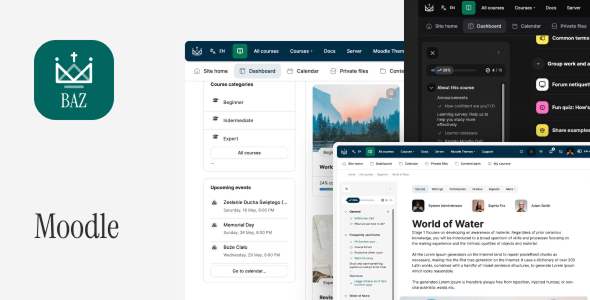
Last update: Version 2.1.4 – October 10, 2025 [ for Moodle 5.1, 5.0, 4.5 LTS]
Other version: Version 2.0.13 – October 12, 2024 [ for Moodle 4.4, 4.3]
BAZ – Premium Moodle Theme
BAZ is a premium, high-quality Moodle theme crafted by RoseaThemes. With its elegant design and intuitive functionality, it’s a perfect choice for both users and developers alike.Theme features
- 19 fully customizable front page blocks
- Simple Front Page Builder
- Custom Enrollment Page
- Custom E-Mail Template
- Child Theme Included
- Fully Responsive Design
- Online documentation
- Multi-language Support
- Support for RTL languages
- Compatibility with popular plugins
- Front page slider
- Custom Front Page Blocks
- Unlimited Colors
- Google Fonts Support, GPDR Support
- Awesome Customer Support
Changelogs
## [2.1.1] - January 13, 2023 For Moodle 4.5 # Fixed: - Minor bug fixes (Tiles Course Format) ## [2.1.0] - December 30, 2024 For Moodle 4.5 # Added: - New Book UI - Course Description (Modal Window) - Course Layout UI - UI and UX Improvements # Fixed: - Minor bug fixes ## [2.0.14] - September 17, 2024 # Fixed: - Minor bug fixes (Moodle 4.5) ## [2.0.13] - September 4, 2024 # Fixed: - Minor bug fixes ## [2.0.12] - August 16, 2024 # Fixed: - Minor bug fixes ## [2.0.11] - August 8, 2024 # Fixed: - Turnitin Assignment 2 Issue ## [2.0.10] - July 25, 2024 # Fixed: - Minor bug fixes ## [2.0.9] - July 21, 2024 # Added: - Optional Course start/end date ## [2.0.8] - July 19, 2024 # Improvements: - Card UI # Fixed: - Minor bug fixes ## [2.0.7] - July 7, 2024 # Fixed: - Minor bug fixes ## [2.0.6] - June 25 17, 2024 # Improved: - WCAG Improvements (Messages, sr-only, etc.) - Theme Settings Improvements # Fixed: - Minor bug fixes ## [2.0.5] - May 17, 2024 # Improved: - WCAG Improvements - Theme Settings Improvements # Fixed: - Minor bug fixes ## [2.0.4] - May 14, 2024 # Fixed: - Minor bug fixes ## [2.0.3] - May 13, 2024 # Fixed: - Minor bug fixes ## [2.0.2] - May 7, 2024 # Fixed: - Minor bug fixes ## [2.0.1] - May 3, 2024 # Fixed: - Minor bug fixes ## [2.0.0] - May 2, 2024 # Added: - Custom Enrollment Page - Custom E-Mail Template - FontAwesome Icon System - New Theme Layout Structure # Fixed: - Minor bug fixes ## [1.7.4] - September 5, 2023 - Fixed Back to top button - Minor bug fixes ## [1.7.3] - June 7, 2023 - Minor bug fixes ## [1.7.2] - April 25, 2023 # Support for Moodle 4.2 ## [1.7.2] - April 16, 2023 # Improvements: - RTL Layout - Minor bug fixes ## [1.7.1] - April 13, 2023 # Added: - Optional, additional, floating button (BAZ - Advanced - Custom floating button) # Improvements: - RTL Layout - Grading UI ## [1.7] - April 5, 2023 # Added: - File Manager - Progress bar - For admin users: Switch the user role indicator on the top bar - Dark mode label: General - Dark Mode Tooltip Title Label # Updated: - FontAwesome 6.4 # Improvements: - UI for Block sharing cart - Top bar - Dark Mode Colors # Fixed: - Front Page - Secondary Navigation Overlapping - Minor Bug fixes ## [1.6.2] - April 3, 2023 # Fixed: - Minor Bug fixes ## [1.6.1] - March 27, 2023 # Added: - Additional Top Bar Button - Optional FontAwesome (BAZ - General - FontAwesome) - Footer Social Icons (BAZ - Footer - Social Icons) - Optional Course Index (BAZ - Course Page - Hide Course Index Navigation) # Fixed: - Missing Front-page Navigation - RTL Layout - Dark Mode UI - Custom Alert ## [1.6] - March 24, 2023 # Added: - Course Index Page (number of courses) - Dashboard Link (Optional, User menu) - Force Dark Mode UI - H5P Custom CSS - Login page: Show/hide password - Main Nav Customization - New Sidebar UI - New Calendar UI - Theme settings descriptions # Fixed: - Minor Bug fixes ## [1.5.2] - August 31, 2022 Fixed: + Site home - redirect=0 when the Start page for users is different than "Site home" ## [1.5.1] - June 28, 2022 Fixed: + My Courses Menu Translations ## [1.5] - June 28, 2022 Added: + Customization: Main Menu & Course Navigation (navigation items on/off) + Optional Default Moodle Footer Buttons Improvements: + Lesson Module (UI Improvements) + Course Card Images - CSS Aspect ratio instead fixed height + Course Card - Category Badge UI + Course Card - Enrollment Icons Size Decreased + Course Index Page (Restricted Access UI) + My Overview Block UI Improvements + Long dropdown menu now gets a scrollbar + Footer Moodle Buttons UI (Purge cache, etc.) Fixed: + Missing "Back to top" button + Content Bank Missing Buttons + Course Category badge bug when disabled (Course card) + SCORM Package Height + Login page - Remember password page UI + Removed empty hamburger menu when not logged in + Minor bug fixes ## [1.4.1] - May 10, 2022 Fixed: + Minor bug fixes: + Message app -> Groupe messaging missing button + Missing Activities Title ## [1.4] - May 7, 2022 Added: + Support for Moodle 4.0 + Course Page - Optional - Course Summary and Image Fixed: + Turn on/off the course progress bar on the course page + Minor bug fixes ## [1.3.2] - March 15, 2022 Improvements: + Custom Top bar menu ## [1.3.1] - February 22, 2022 Improvements: + Dark mode top bar Fixed: + Rubrik UI ## [1.3] - February 1, 2022 Added: + Custom fonts support (Self-hosted) + Optional sticky breadcrumbs + Custom alert + Custom navigation integrated with GreedyNav (More Menu) + Optional narrow wrapper inside the content + UI support for: + Course Module Navigation + Support for Moodle 3.10 (beta version) Improvements: + Feedback module UI + Progress report table UI + Mod Assign UI (layout fixed, new spinner) + BAZ Snippets ATTO plugin + Dark mode color palette Fixed: + Module Assign Bugs + Course Page Blocks Area + Input field - position of the edit instruction + Disabled dark mode by default for new users + Minor bug fixes ## [1.2] - December 20, 2021 Added: + Code Snippets Plugin (beta version) + Additional block area on the course page Improvements: + Activities chooser UI + RWD UI ## [1.1.1] - December 8, 2021 Added: + Custom Dashboard Column Width (Sidebar Left/Right) Improvements: + New checkbox UI + Quiz UI Fixed: + Dark mode cache issue when disabled + Hidden course button (top bar) when you are not logged in. ## [1.1] - December 4, 2021 Added: + Dashboard Layouts (3 cols, 2 cols) + Display course navigation for admins and managers (not enrolled in the course) Improvements: + Quiz UI + Forum - Attachements UI + Theme settings descriptions -> Primary Color 600 - Main Color + Course and category management + Secure Layout Fixed: + Quiz summary UI for languages other than English + Access to the admin area for managers + Footer on the maintenance mode + Height of the top bar without navigation (mobile view) + My Overview block course title truncate removed + Optional teacher's avatars on the course page + Raw SCSS, Raw initial SCSS + Course editing (drag-drop issue) ## [1.0.1] - November 26, 2021 + Minor bug fixes + UI elements + RWD ## [1.0.0] - November 22, 2021 + Released