Contact Form 7 Add-ons Bundle
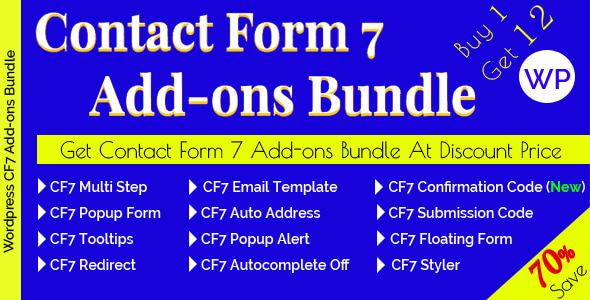
Save 70%
Purchasing every Add-ons individually you would spend at least $215+. Bundle Price – Only $64.
A Collection of Contact Form 7 Add-ons special pack. Here you will get a Bundle of all Our Approved Contact Form 7 Add-ons.
Contact Form 7 Add-ons Bundle requires active plugin Contact Form 7
Included Add-ons
- Contact Form 7 Popup Form $20
- Contact Form 7 Google Auto Address Suggestion $20
- Contact Form 7 Tooltips $16
- Contact Form 7 Popup Alert Message $20
- Contact Form 7 Success Redirect $16
- Contact Form 7 Autocomplete off $14
- Contact Form 7 Styler $16
- Contact Form 7 Submission Code $20
- Contact Form 7 Multi Step – Split Long Form into Multi Step $20
- Contact Form 7 Email Template – email Template Configuration for Admin and Autoresponder $16
- Contact Form 7 Floating Form – for Specific Post or Page or Full Website Content $20
- Contact Form 7 Confirmation Code – For Each Submission will Require a Unique Invitation Code $20
Features
Common Features for All Add-ons
- Extremely easy Configuration
- Very Easy Enable/Disable Option for each individual Form
- Each Add-ons Has Own Configuration for Each Form
- Good Documented ( proper help instructions for setup )
- Dedicated Support
- and Much More!
Contact Form 7 Popup Form
- Each Contact Form 7 Popup Can be set Uniquely.
- Popup Contact Button, Popup Form Box, Popup Contact Form Configuration Options Included
- Contact Form 7 Popup Form Enable
- Popup Form Box BG Color
- Popup Form Box Font Color
- Popup Contact Button Text
- Popup Contact Button Font Size
- Popup Contact Button BG Color
- Popup Contact Button Font Color
- Popup Contact Button Border Radius
- Popup Contact Form Field Border Radius
- Popup Contact Form Button BG Color
- Popup Contact Form Button Font Color
- Popup Contact Form Button Font Size
- You will be able to Manage Your desired Popup Form theme through Configuration
Contact Form 7 Google Auto Address Suggestion
- Google Auto Location Search for Address Field (Google Api will need).
- Specific Country or Worldwide Location Search.
- Save Your Client Time by using Google Location Suggestion.
- Prevent Typo Error from Google Location Suggestion.
Contact Form 7 Tooltips
- Each Contact Form 7 Tooltips Can be set Uniquely.
- Configuration Options Included
- Contact Form 7 Tooltips Enable
- Tooltips BG Color
- Tooltips Font Color
- Tooltips Font Size
- Tooltips Border Radius
Contact Form 7 Popup Alert Message
- Configuration Options Included
- Contact Form 7 Popup Alert Enable
- Popup Alert Title Text
- Popup Alert Box Width
- Popup Alert Box BG Color
- Popup Alert Box Font Color
- Popup Alert Box Button BG Color
- Popup Alert Box Button Border Radius
- Popup Alert Box Button Font Size
- Popup Alert Box Button Font Color
- Hide Contact Form 7 Default Error Message On/Off
- Refresh Page on Successful Submission On/Off
Contact Form 7 Success Redirect
- Each Contact Form 7 Success Redirect Can be set Uniquely.
- Configuration Options Included
- Contact Form 7 Success Redirect Enable
- Selecting a Redirect Page from Your Dashboard existing Pages
- A Custom Redirect Page Full url
Contact Form 7 Autocomplete off
- Extremely easy Configuration
- Very Easy Enable/Disable Option for each individual Form
- Each Form Has Own Configuration.
- Prevent Your Client to fill the Auto Suggestion field values.
- Well Documented ( proper help instructions for setup )
- Dedicated Support
- and Much More!
Contact Form 7 Styler
- Extremely easy Configuration
- Very Easy Enable/Disable Option for each individual Form
- Each Form Has Own Configuration.
- Each Contact Form 7 Styler Can be set Uniquely for each form (except: If set multiple(2 or more) form in a page then all form will show same design).
- Well Documented ( proper help instructions for setup )
- Dedicated Support
- and Much More!
Contact Form 7 Submission Code
- Extremely easy Configuration
- Very Easy Enable/Disable Option for each individual Form
- Each Form Has Own Configuration.
- Each Contact Form 7 Submission Code Can be set Uniquely for each form
- Settings for Submission Code
- Settings for Submission Code Expiry Date
- Settings for Submission Code Max Times can be Used
- Well Documented ( proper help instructions for setup )
- Dedicated Support
- and Much More!
Contact Form 7 Multi Step – Split Long Form into Multi Step
- Extremely easy Configuration
- Split Long Form into Multi Step (Upto 100 Steps)
- Display User Input (Confirmation) in the last step option (Settings) features available
- Make Your Long Form Better UI with Split into Multi Step
- Included 7 Pre-built Themes Styles (each style included 15+ Pre-built Color Themes)
- Included 15+ Pre-built Color Themes
- Step by Step Required field jQuery validation
- Smooth, Modern and excellent UI
- Display Progress Step
- Display Confirmation (form input values) in the last Step
- Translate Ready – Compatible With: WPML/Loco Translate etc
- 100% Responsive & Mobile-Friendly Layout
- Well Documented ( proper help instructions for setup )
- Dedicated Support
- Free Premium Support for 6 months
- Free Lifetime Updates
- and Much More!
Contact Form 7 Email Template – email Template Configuration for Admin and Autoresponder
- Extremely easy Configuration
- Each Form Has Own Configuration.
- Each Contact Form 7 email template Can be set Uniquely for each form
- Settings for Admin email template
- Settings for Autoresponder email template
- Multiple prebuilt Email templates for Contact Form 7
- All Contact Form 7 mail-tags are allowed to use in the email template
- Well Documented ( proper help instructions for setup )
- Dedicated Support
- and Much More!
Contact Form 7 Floating Form – for Specific Post or Page or Full Website Content
- Extremely easy Configuration
- Each Form Has Own Configuration. So, Each Floating Form Theme Can be Unique
- Floating Contact Button, Floating Form Box, Floating Contact Form Configuration Options Included:
- Floating Form Box BG Color
- Floating Form Box Font Color
- Floating Contact Form Field Border Radius
- Floating Contact Form Button BG Color
- Floating Contact Form Button Font Color
- Floating Contact Form Button Font Size
- Floating Contact Floating Icon Button Settings
- Floating Icon Button Horizontal Position
- Left
- Right
- Floating Contact Buttons Margin Bottom
- Floating Icon Button Text
- Floating Icon Button Font Size
- Floating Icon Button BG Color
- Floating Icon Button Font Color
- Floating Icon Button Border Radius
- Floating Icon Button Horizontal Position
- You will be able to Manage Your desired Floating Form theme through Configuration
Contact Form 7 Confirmation Code – For Each Submission will Require a Unique Invitation Code
- Extremely easy Configuration
- Very Easy Enable/Disable Option for each individual Form
- Each Form Has Own Configuration.
- Each Contact Form 7 Confirmation Code Can be set Uniquely for each form
- For Each Submission will Require a Unique Invitation Code
- Settings for Confirmation Code(s) as many as you need for the form submission
- Settings for Confirmation Code
- Settings for Confirmation Code Expiry Date
- Settings for Confirmation Code Max Times submissions
CHANGELOG
----- V 2.6.9 Released: 13 September 2025 ----- - Fixed: Contact Form 7 Popup Form Plugin Settings Tab display. - Fixed: Contact Form 7 Multi Step Form Plugin Settings Tab display. - Fixed: Contact Form 7 Floating Form Plugin Settings Tab display.
----- V 2.6.8 Released: 12 October 2024 ----- - Updated: Plugin Settings Option and Style Updated in Contact Form 7 Floating Form Plugin. - Updated: Plugin Settings Updated in Contact Form 7 Popup Form Plugin.
----- V 2.6.7 Released: 26 May 2024 ----- - Updated: All Contact Form 7 Add-ons updated.
----- V 2.6.6 Released: 2 October 2023 ----- - Fixed: Fixed Contact Form 7 Tooltips compatibility issue. - Updated: Contact Form 7 Tooltips Documentation updated.
----- V 2.6.5 Released: 6 August 2023 ----- - Added: Included New Contact Form 7 Confirmation Code Add-ons plugin
----- V 2.6.4 Released: 28 April 2023 ----- - Updated: Updated all included Plugins
----- V 2.6.3 Released: 26 May 2022 ----- - Fix: Contact Form 7 Success Redirect Plugin updated to fix a conflict issue - Updated: Contact Form 7 Styler, Contact Form 7 Tooltips, Contact Form 7 Popup Form, Contact Form 7 Popup Alert Message, Contact Form 7 Floating Form Very minor updated
----- V 2.6.2 Released: 24 March 2022 ----- - Updated: Minor Updated the plugin css in Contact Form 7 Popup Form Plugin. - Updated: Minor Updated the plugin css in Contact Form 7 Floating Form Plugin.
----- V 2.6.1 Released: 18 March 2022 ----- - Fix: Fix php Notice in Contact Form 7 Email Template - Fix: Fix php Notice in Contact Form 7 Multi Step Plugin
----- V 2.6.0 Released: 13 March 2022 ----- - Updated: Minor Plugin css Updated in Contact Form 7 Popup Alert Message Plugin - Updated: Plugin Language file updated in Contact Form 7 Success Redirect Plugin - Updated: - Fixed a conflict issue in Contact Form 7 Tooltips Plugin - Updated: - Minor coding updated in Contact Form 7 Google Auto Address Suggestion Plugin - Updated: Plugin settings updated in Contact Form 7 Autocomplete off Plugin - Updated: Plugin settings css minor updated in Contact Form 7 Email Template - Updated: Plugin settings updated in Contact Form 7 Styler - Updated: Design minor updated in Contact Form 7 Styler - Fixed: Fixed responsive issue in Contact Form 7 Popup Form Plugin - Updated: Minor Updated the plugin coding in Contact Form 7 Popup Form Plugin - Updated: Design minor updated in Contact Form 7 Multi Step Plugin - Upgraded: Upgraded Fontawesome to latest version 5.15.4 in Contact Form 7 Multi Step Plugin - Fixed: Fixed responsive issue in Contact Form 7 Floating Form Plugin
----- V 2.5.5 Released: 25 February 2022 ----- - Improved: Improved validation for 2nd Style Submission/Invitation code
----- V 2.5.4 Released: 19 February 2022 ----- - Updated: Minor Updated the Contact Form 7 Floating Form plugin coding to improve the click event. - Updated: Minor Updated the Contact Form 7 Popup Form plugin coding to improve the click event.
----- V 2.5.3 Released: 8 January 2022 ----- - Fix: Fix a bug for 2nd Style Submission/Invitation code
----- V 2.5.2 Released: 7 September 2021 ----- - Fixed: Contact Form 7 Multi Step Plugin - One Validation issue fixed and updated Validation process
----- V 2.5.1 Released: 23 August 2021 ----- - Updated: Contact Form 7 Multi Step Plugin settings updated - Added: Added Shortcode generator (Now the settings are the best user friendly) in Contact Form 7 Multi Step Plugin - Added: Added More Control in the Shortcode generator in Contact Form 7 Multi Step Plugin - Added: Added 16 Pre-built Color Themes in Contact Form 7 Multi Step Plugin
----- V 2.5.0 Released: 10 August 2021 ----- - Added: Included New Contact Form 7 Floating Form Add-ons plugin - Updated: Contact Form 7 Popup Form Add-ons Plugin settings and Design updated
----- V 2.4.5 Released: 13 July 2021 ----- - Updated: Popup Alert Message Plugin settings updated and added Popup alert success text field - Added: Added 2nd Style (Code Verify Style) Submission/Invitation code in Submission Code Plugin - Updated: Multi Step Add-ons Plugin settings updated and added auto scroll (scroll to top of the Step button) on/off option
----- V 2.4.4 Released: 2 April 2021 ----- - Updated: css minor updated in Contact Form 7 Styler Plugin - Updated: css minor updated in Contact Form Multi Step Plugin - Fix: Contact Form 7 Success Redirect Plugin updated to fix an issue with cf7 version 5.4 - Fix: Contact Form 7 Popup Alert Message Plugin updated to fix an issue with cf7 version 5.4
----- V 2.4.3 Released: 8 January 2021 ----- - Updated: Contact Form 7 Multi Step Add-ons Plugin js minor updated
----- V 2.4.2 Released: 30 December 2020 ----- - Updated: Contact Form 7 Popup Form Design has updated
----- V 2.4.1 Released: 24 November 2020 ----- - Added: One more Admin Template in Contact Form 7 Email Template Add-ons plugin
----- V 2.4.0 Released: 12 November 2020 ----- - Added: Included New Contact Form 7 Email Template Add-ons plugin
----- V 2.3.8 Released: 11 August 2020 ----- - Updated: Contact Form 7 Multi Step Add-ons plugin has updated in form step animation - Updated: Contact Form 7 Multi Step Add-ons plugin Form step progress floating number has replaced with full round integer
----- V 2.3.7 Released: 9 July 2020 ----- - Fix: Contact Form 7 Popup Alert Add-ons plugin has Updated to fix an issue - Fix: Contact Form 7 Success Redirect plugin has Updated to fix an issue
----- V 2.3.6 Released: 8 July 2020 ----- - Updated: Contact Form 7 Multi Step Add-ons plugin has updated - Updated: Contact Form 7 Popup Form Add-ons plugin has Updated - Updated: Contact Form 7 Popup Alert Add-ons plugin has Updated
----- V 2.3.5 Released: 12 June 2020 ----- - Updated: Contact Form 7 Multi Step Add-ons plugin User Input data display for Confirmation style has updated - Updated: Contact Form 7 Multi Step Add-ons plugin Documentation Updated.
----- V 2.3.4 Released: 23 May 2020 ----- - Updated: Contact Form 7 Multi Step Add-ons Plugin css minor updated - Updated: Contact Form 7 Popup Alert Message Plugin settings updated - Updated: Contact Form 7 Submission Code Plugin settings css minor updated - Updated: Contact Form 7 Autocomplete off Plugin settings css minor updated - Updated: Contact Form 7 Success Redirect Plugin js minor updated - Updated: Contact Form 7 Popup Form Plugin css minor updated - Updated: Contact Form 7 Tooltips Plugin css minor updated - Updated: Contact Form 7 Styler Plugin settings css minor updated
----- V 2.3.3 Released: 2 May 2020 ----- - Improved: Contact Form 7 Multi Step Add-ons plugin validation Improved - Updated: Contact Form 7 Multi Step Add-ons plugin css minor Updated
----- V 2.3.2 Released: 24 April 2020 ----- - Updated: Contact Form 7 Multi Step Add-ons plugin Form scroll animation improved. - Updated: Contact Form 7 Multi Step Add-ons plugin Documentation Updated.
----- V 2.3.1 Released: 25 February 2020 ----- - Updated: Included Specific Country based Location Search features in Contact Form 7 Google Auto Address Suggestion plugin.
----- V 2.3.0 Released: 15 February 2020 ----- - Added: Added 2 new themes to Contact Form 7 Multi Step Add-ons plugin. - Updated: Little Updated design to improve Contact Form 7 Multi Step Add-ons plugin UI. - Updated: Contact Form 7 Multi Step Add-ons plugin Documentation Updated.
----- V 2.2.8 Released: 1 January 2020 ----- - Added: Added few themes to improve UI in Contact Form 7 Multi Step Add-ons plugin. - Updated: Contact Form 7 Multi Step Add-ons plugin Documentation Updated.
----- V 2.2.7 Released: 4 December 19 ----- - Improved: Contact Form 7 Multi Step Add-ons plugin has Updated.
----- V 2.2.6 Released: 28 November 19 ----- - Improved: Contact Form 7 Multi Step Add-ons plugin UI has Improved.
----- V 2.2.5 Released: 22 November 19 ----- - Improved: Contact Form 7 Google Auto Address Suggestion Add-ons plugin Improved - Updated: Updated Contact Form 7 Multi Step Add-ons plugin
----- V 2.2.4 Released: 20 November 19 ----- - Improved: Contact Form 7 Multi Step Add-ons plugin validation error display UI Improved - Updated: Contact Form 7 Multi Step Add-ons Plugin Language File Updated
----- V 2.2.3 Released: 13 November 19 ----- - Improved: Contact Form 7 Multi Step Add-ons plugin validation Improved
----- V 2.2.2 Released: 12 November 19 ----- - Fixed: Contact Form 7 Multi Step Add-ons plugin validation fixed
----- V 2.2.1 Released: 11 November 19 ----- - Updated: Updated Contact Form 7 Multi Step Add-ons plugin
----- V 2.2 Released: 4 October 19 ----- - Updated: Updated Contact Form 7 Multi Step Add-ons plugin - Updated: Updated Contact Form 7 Popup Alert Message Add-ons plugin
----- V 2.1 Released: 22 September 19 ----- - Updated: Updated Contact Form 7 Multi Step Add-ons plugin - Updated: Updated Contact Form 7 Popup Alert Message Add-ons plugin
----- V 2.0 Released: 19 September 19 ----- - Added: Included New Contact Form 7 Multi Step Add-ons plugin
----- V 1.9 Released: 27 August 19 ----- - Added: Added New Contact Form 7 Submission Code Add-ons plugin - Updated: Updated Add-ons plugin Language file updated
----- V 1.8 Released: 22 July 19 ----- - Updated: Updated Contact Form 7 Styler Add-ons plugin
----- V 1.7 Released: 16 July 19 ----- - Added: Included New Contact Form 7 Styler Add-ons plugin - Updated: Updated Contact Form 7 Popup Alert Message Add-ons plugin
----- V 1.6 Released: 31 May 19 ----- - Updated: Included all updated version plugins
----- V 1.5 Released: 17 April 19 ----- - Updated: Updated the bundle plugin because individual plugin has updated.
----- V 1.4 Released: 8 March 19 ----- - Updated: Tooltips Add-ons js has updated.
----- V 1.3 Released: 24 January 19 ----- - Added: Contact Form 7 Autocomplete off Add-ons added.
----- V 1.2 Released: 3 January 19 ----- - Updated: Contact Form 7 Popup Alert Message plugin js has updated.
----- V 1.1 Released: 20 November 18 ----- - Fixed: a php warning fixed.
----- Initial Released: 18 November 18 ----- - Initial Released