Super Bulk Email Verifier – Fast & Accurate Validation Tool
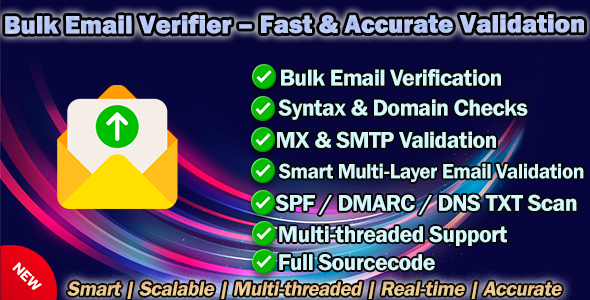
Super Bulk Email Verifier – Fast & Accurate Validation Tool
Smart | Scalable | Multi-threaded | Real-time | Accurate
Super Bulk Email Verifier is a powerful and intelligent desktop application designed to verify the validity, deliverability, and reputation of email addresses in bulk. It performs deep multi-layer validation — from syntax and DNS to live SMTP response and domain reputation — ensuring your email lists are clean, verified, and ready for marketing or CRM use.
Video Demo
Key Features
✅ 1. Smart Multi-Layer Email Validation
- Syntax Validation: Detects invalid or malformed email formats.
- Domain & MX Lookup: Checks domain existence and MX mail server records.
- SMTP Live Verification: Directly connects to mail servers to confirm mailbox availability.
- Catch-All Detection: Identifies domains accepting all addresses (fake delivery).
- SPF / DMARC / DNS TXT Scan: Validates real sending authority and anti-spam policies.
- Relay & Forwarding Detection: Marks relay-only and redirection-based domains.
⚙️ 2. AI-Powered Email Trust Scoring System (0–100)
Generates a Trust Score using AI-based analysis of:
- MX quality and domain age
- SPF / DMARC / TXT record consistency
- Catch-All and relay detection
- Vendor reputation (Google, Outlook, Zoho, etc.)
- SMTP behavior patterns and reliability
Automatically ranks each email into High / Medium / Low Trust levels.
⚡ 3. High-Performance Multi-Threaded Validation Engine
- Parallel verification with adjustable thread count (10–500).
- Adaptive timeout reduction for unstable or blocked ports.
- Dynamic MX prioritization (587 → 25 → 465) based on previous success rate.
- Automatic IPv4 / IPv6 fallback detection.
- Asynchronous DNS resolution for ultra-fast processing.
4. Intelligent Network Optimization
- Auto retry and fallback when primary MX fails.
- Smart network environment detection (alerts if SMTP outbound ports are blocked).
- Anti-block random delay injection to prevent server blacklisting.
5. Real-Time Validation Dashboard
- Interactive progress view with accurate percentage, speed, and ETA display.
- Non-flickering double-buffered UI updates.
- Pause / Resume / Stop validation anytime.
- Auto-scroll to the latest verified email entry.
6. Detailed Validation Results
| Field | Description |
|---|---|
| Target email address | |
| Status | Valid / Invalid / Unknown |
| Domain | Domain part of the email |
| Vendor | Mail provider (Google Workspace, Outlook, Zoho, etc.) |
| Catch-All | True / False |
| Trust Score | 0–100 (calculated confidence score) |
| Domain Security | SPF / DMARC / TXT verification |
| Logs | Validation Logs |
7. Integration
- Re-import lists for re-validation or incremental updates.
- Easy integration with CRM / Email Marketing Systems / Lead Tools.
8. Developer & Enterprise Ready
- Full source code included (C# .NET Framework 4.8).
- Clean modular structure: EmailValidatorCore, SmtpClientHandler, DNSResolver, UI Manager.
- No external dependencies or APIs — runs fully offline.
- Optimized for high accuracy and enterprise reliability.
9. Security & Accuracy
- Fully offline operation — no external API calls or data leaks.
- Direct SMTP handshake for true validation (EHLO → MAIL FROM → RCPT TO).
- Encrypted logging and local-only result storage.
- Detects disposable, fake, and temporary email domains.
- Prevents false-positive Gmail validations (250 OK catch-all issue).
❤️ 10. User Experience
- Modern UI.
- High-DPI aware and multi-monitor compatible.
- Built-in real-time logs and progress visualization.
- Automatic summary report after task completion.
Screenshot
FAQ
1. Why does verification show “Unknown”?
This status means the target mail server did not clearly confirm whether the mailbox exists. Some major providers — especially Gmail, Outlook, Yahoo, and iCloud — use anti-spam protection policies that hide real verification results during the SMTP handshake.
These servers intentionally return a generic response (such as 250 OK) for both valid and invalid addresses, so no external tool can know the actual mailbox status without sending a real email.
Reasons:
- Mailbox verification is disabled on the provider’s SMTP gateway (for privacy and anti-spam reasons).
- The server always responds with “accept all” behavior (Catch-All or Greylisting).
- Temporary 4xx responses or connection delays (rate limits, throttling, tarpitting).
Recommended actions:
- Treat “Unknown” results from Gmail/Outlook as potentially valid — not as invalid.
- Use the Trust Score and domain reputation data for confidence ranking.
- Re-check later from a different IP or network if needed.
- Combine SMTP verification with pattern-based analysis (MX, DNS, SPF/DMARC, disposable domain detection).
2. Why can’t connect to ports 25 / 465 / 587?
These ports are used for SMTP outbound email communication. If your software shows “Cannot connect” or “Timeout”, it usually means your network is blocking outbound mail traffic.
Common reasons:
- ISP / Hosting Provider Block: Many ISPs block port 25 by default to prevent spam sending. Some also restrict 465 and 587.
- Firewall or Antivirus: Local security software may block outbound SMTP connections.
- Company / Office Network Policy: Corporate routers or proxies can intercept and filter SMTP traffic.
- VPN Conflict: Some VPNs only allow HTTP/HTTPS traffic, not SMTP.
- Server-side Rate Limiting: The remote MX server temporarily refuses connections after too many requests.
Solutions:
- Try switching between ports 587 → 25 → 465 (the app supports adaptive fallback).
- Check and temporarily disable firewall or antivirus blocking rules.
- Try switching to another network (e.g., mobile hotspot, different ISP).
- Test connectivity using
telnet smtp.gmail.com 587orPowerShell Test-NetConnection -Port 25. - For cloud or VPS environments, ensure the provider allows outbound mail ports (e.g., AWS, Azure, GCP often block 25).
- Manually open or whitelist ports 25 / 465 / 587 in your firewall and antivirus.
- Contact your ISP to request SMTP port access if permanently blocked.
Why does email verification work on VPS / Cloud Server but not on my local PC?
This happens because most home or office networks block outbound SMTP traffic for security and anti-spam reasons, while VPS / Cloud servers are hosted in data centers with open mail ports and public IPs.
Detailed reasons:
- ISP Restrictions: Your Internet provider may block ports 25 / 465 / 587 on home connections, but cloud networks (AWS, Azure, Hetzner, etc.) allow them.
- Network Reputation: VPS servers use static, verified IPs that are trusted by most mail providers; home IPs are often flagged as “residential” or “dynamic.”
- Firewall / NAT / Router Filtering: Local routers or antivirus software can silently block or modify outbound SMTP packets.
- IPv6 or DNS Delay: Some home DNS resolvers and IPv6 stacks cause handshake timeouts with MX servers.
Solutions:
- Run the software on a VPS or remote Windows server for stable validation.
- Manually open ports 25 / 465 / 587 in your local firewall and antivirus.
- Switch DNS to Google DNS (8.8.8.8 / 8.8.4.4) for better resolution.
Support & Purchase Notice
⚠️ Important Notice Before Purchase
Before purchasing this software, please make sure you know how to check and test your SMTP ports (25 / 465 / 587). If your local network or Internet provider blocks these ports, the software will not be able to perform live SMTP verification.
Recommended test commands before purchase:
telnet smtp.gmail.com 587Test-NetConnection smtp.gmail.com -Port 465
If both fail, please contact your ISP or network administrator to enable these ports, that supports SMTP.
Additional Information
Even if your network cannot connect to SMTP ports (25 / 465 / 587), the software will still function normally. All other features — such as syntax validation, domain & MX lookup, DNS checking, Trust Score analysis, and report generation — will continue to work. Only the SMTP live verification step will timeout due to blocked connections.
✅ Summary: Port connection failure does not mean software malfunction — it only affects the live mailbox handshake process.
Technical Environment & Requirements
- ✅ Requires a stable Internet connection with open SMTP ports.
- ✅ You may also run it on a VPS / Cloud Server for better stability.
- ⚙️ If “Connection failed” or “Port unreachable” occurs, please check your firewall / ISP / antivirus before reporting an issue.
Support Policy
Support covers only software-related code issues such as bugs or unexpected behavior in the program itself. We do not provide assistance for user environment problems — such as blocked SMTP ports, firewall restrictions, VPN setup, or system configuration — as these are beyond the software’s control.
- ✅ Support includes fixing code bugs or installation issues.
- Please provide your purchase code and clear error description when contacting support.
- ⚙️ Network, DNS, or SMTP port connectivity issues must be solved by the user.
- For testing, you may use a VPS or proxy if your local network blocks connections.
- Real-time remote debugging is not included in support service.
Refund Policy Reminder
Refunds cannot be issued for environment-related issues such as blocked SMTP ports, firewall restrictions, or ISP limitations. Please ensure your system can connect to mail servers before purchase.
Update Logs
- V5.3.5 (28 Oct 2025) -- Add: Adaptive MX retry logic with smart multi-port fallback -- Add: SMTP Trust Score evaluator based on SPF/DMARC/DNS quality -- Update: Improved IPv4 ↔ IPv6 auto-switching -- Fix: Catch-all detection timeout and relay misreporting
- V5.3.2 (05 Oct 2025) -- Add: Dynamic port priority engine (587/25/465 adaptive) -- Add: Intelligent timeout reduction for faster verification -- Update: Optimized multi-thread performance and CPU usage -- Fix: Vendor detection for Zoho and Outlook servers
- V5.3.0 (18 Sep 2025) -- Add: Parallel SMTP probing with smart cancellation -- Add: Domain Security Analyzer (SPF / DMARC / TXT) -- Update: Faster DNS resolution and error recovery -- Fix: SMTP socket hang issue on invalid hosts
- V5.2.5 (20 Aug 2025) -- Add: Enhanced Catch-All detection for relay-only domains -- Add: Automatic TrustScore recalculation on retry -- Update: Better logging for connection latency and vendor info -- Fix: Rare OverflowException in async mode
- V5.1.0 (10 Jul 2025) -- Add: AI-powered Email Reputation Scoring (0–100) -- Add: Real-time ETA and progress tracking in UI -- Update: Improved concurrent DNS/MX checking speed -- Fix: False timeout reports on slow IPv6 routes
- V5.0.0 (12 Jun 2025) -- Add: Brand-new UI with DevExpress Dark/Light theme support -- Update: Fully refactored SmtpClientHandler core
- V4.3.0 (01 Apr 2025) -- Add: Bulk list loader with duplicate filtering -- Add: Custom export templates (Excel / CSV / SQL / HTML) -- Update: Better thread-safety for batch processing -- Fix: GridView auto-scroll issue when validating fast
- V3.2.1 (10 Dec 2024) -- Add: IPv6 fallback and dual-stack MX connection -- Add: Multi-thread safe logging engine -- Update: Enhanced DNS timeout resilience -- Fix: Incorrect relay domain classification
- V2.3.4 (15 Oct 2025) -- Update: Enhanced DNS async resolver for large lists -- Fix: MX priority sorting issue on multiple records
- V2.0.0 (15 Mar 2024) -- Add: Catch-All detection logic (randomized RCPT) -- Add: Live SMTP handshake simulator -- Update: Better domain parsing and exception handling
- V1.5.0 (05 Sep 2023) -- Add: TrustScore preview column and color indicator -- Update: UI optimizations and localization improvements -- Fix: DNS A-record fallback not applied on missing MX
- V1.2.0 (11 Mar 2022) -- Add: Multi-threaded queue executor -- Add: Real-time log viewer and pause/resume controls -- Update: Optimized connection pool reuse
- V1.0.0 (30 Apr 2021) -- Add: Initial version release -- Feature: Basic syntax, DNS, and SMTP validation
✨ Summary
Super Bulk Email Verifier is not just a simple syntax checker — it’s a complete enterprise-grade email verification system that connects directly to mail servers, analyzes MX responses, SPF/DMARC configurations, and trust signals to ensure accurate, fast, and reliable results.
Stop wasting time and money on fake or unreachable emails — verify before you send.