Extra Product Options for WooCommerce
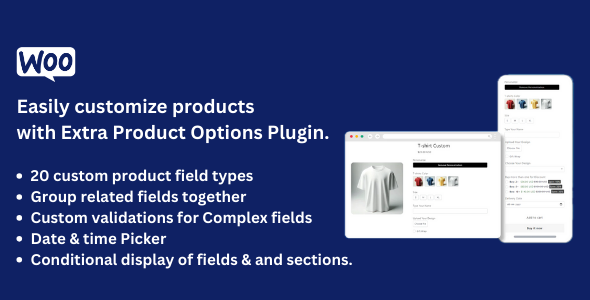
Extra Product Options for WooCommerce plugin empowers WooCommerce store owners to add unlimited custom product fields and options to their WooCommerce product pages. Transform your simple products into highly customizable offerings that increase sales, profit margins, and customer satisfaction.
Plugin Key Highlights
- Easy to use, easy to set up – No coding required, intuitive drag-and-drop interface
- 22+ Customer Product Field Types – Comprehensive field library for every use case
- Manage Fields as Sections – Organize fields into logical groups with custom styling
- Advanced Display Rules – Show/hide fields and sections based on products, categories, tags, user roles, and more
- Complete Theme Customization – Style custom fields to match your store theme perfectly
- Flexible Display Management – Control how custom field values appear on cart, checkout, orders, and emails
- Customizable Add to Cart Button – Modify button text to match your brand voice
- Developer-Friendly – Extensive hooks and filters for custom functionality extensions
Latest Version 4.4.5 — Jan 24, 2026 – view changelog
WordPress 6.9 Ready
WooCommerce 10.4.3 Ready
Plugin Live Demo
Username – demowpactpro
PWD – demowpactpro
Video Tutorial
Why Choose Extra Product Options for WooCommerce?
Does default WooCommerce extra products functionality not meet your needs?
Are you looking to provide flexible product options to sell customizable products? Use Extra Product Options for WooCommerce Plugin to unlock unlimited customization possibilities.
Extra Product Options for WooCommerce Plugin allows you to add unlimited extra options (22+ field types) with pricing to your WooCommerce products. The easiest way to add custom fields as per your business requirements without any technical knowledge.
From simple gift wrap options through to complex PC configurations, product customizations, event bookings, and personalized services, extra product options are a proven way for you, as a WooCommerce store owner, to increase your profits and stand out from competitors.
Extra Product Options are much easier, more flexible, and faster to use than variable products. Instead of generating thousands of variations that bloat your database, enable customers to customize products with additional options such as text fields, checkboxes, radio buttons, dropdowns, file uploads, date pickers, and more. You can add extra product options to selected products or entire categories with advanced display rules.
Key Benefits of WooCommerce Extra Product Options Plugin
- Generate More Sales – Offer customization options that increase average order value
- Increase Profit Margin – Add premium pricing for customizations and add-ons
- Stand Out from Competition – Provide unique product personalization options
- No Need for Higher Inventory Costs – Create variations on-demand without managing stock
- Better Customer Insight – Collect valuable customer preferences and requirements
- Increase Customer Loyalty – Offer personalized experiences that keep customers coming back
- Power Your Online Business – Transform simple products into comprehensive solutions
Complete List of 22+ Extra Product Field Types
Add unlimited customization options to your WooCommerce products with our comprehensive field library:
- Text Field – Single-line text input for names, custom text, and short responses – Documentation
- Hidden Field – Store data without displaying to customers
- Number Field – Numeric input with validation for quantities, measurements, and calculations – Documentation
- Password Field – Secure password input for sensitive information
- Textarea – Multi-line text input for descriptions, messages, and longer responses – Documentation
- Select Dropdown – Single selection from a dropdown list – Documentation
- Multiselect – Multiple selections from a dropdown list – Documentation
- Checkbox – Single checkbox for yes/no options – Documentation
- Checkbox Group – Multiple checkboxes for selecting multiple options – Documentation
- Radio Buttons – Single selection from multiple radio button options – Documentation
- Date Picker – Calendar date selection with custom date ranges and pricing
- Time Picker – Time selection with 12/24 hour format support
- Color Picker – Visual color selection with hex code support
- Heading – Section headings to organize and group fields
- Paragraph – Display formatted text content and instructions
- Color Switcher – Visual color swatches for product variations (Premium)
- Text Switcher – Toggle-style buttons for text-based selections (Premium)
- True/False Switch – Toggle switch with custom styling options (Premium)
- URL Field – Accept and validate website links and URLs
- HTML Field – Display custom HTML content within forms
- File Upload – Collect files from users (images, videos, documents, any WordPress-supported file type) – Documentation
- Image Switcher – Visual image selection with thumbnail previews and multiple selection support – Documentation
- Slider – Range slider for numeric value selection within min/max ranges – Documentation
- Switch Field – Advanced toggle switch with custom layouts and animations – Documentation
- Repeater Fields – Allow customers to duplicate groups of fields dynamically (Premium) – Documentation
- Separator – Horizontal divider lines to visually separate sections
Advanced Features & Settings
- Section Settings – The Section Status toggle determines whether the entire section and all contained fields will be visible to customers on the frontend product page. Customize section titles, descriptions, colors, spacing, borders, and styling options – View Documentation
- Conditional Logic – Transform static product forms into intelligent, responsive experiences. Show only relevant options based on customer choices with nested AND/OR logic groups – View Documentation
- WooCommerce Settings – Fine-tune how your extra product options appear and behave across product pages, cart, checkout, orders, and emails. Control pricing visibility, tax settings, and customer-facing information at every step of the purchase journey – View Documentation
Key Features of Extra Product Options for WooCommerce
- Nested Conditional Logic – Advanced AND/OR groups for complex display rules
- 22+ Types of Extra Custom Product Fields – Complete field library for WooCommerce product pages
- Product & Category Targeting – Add extra custom fields for selected products and categories
- Required Field Management – Set fields as required or optional with custom validation messages
- Flexible Pricing Options – Add prices to options with multiple pricing methods
- Multiple Attribute Selection – Allow multiple attributes to be selected in the same option
- Easy to Use Interface – Intuitive drag-and-drop field builder
- Price-Free Options – Use fields with or without prices
- Price Visibility Control – Show or hide prices as needed
- Complete Field Customization – Manage labels, values, placeholders, and CSS classes for each field
- Quick Duplication – Duplicate extra product custom fields or groups of fields instantly
- Easy Field Management – Edit, remove, enable, or disable extra product fields easily
- Dynamic Product Pricing – Change the price depending on field value(s)
- Advanced Visibility Options – Decide on which product(s) to show your fields
- Per-Option Pricing – Set prices for each option value
- Mandatory Field Options – Make options mandatory for selection
- Complete Display Control – Display selected values on checkout, order info pages, and in order emails
- Addon Details Management – Allow hiding addon details or changing structure via table/div
- Custom Labels – Allow changing addon details label and subtotal label in product detail page
- Cart Display Options – Hide addon options in cart or hide addon options price in cart
- Order Display Options – Hide addon options in order detail page
- Advanced Conditional Rules – Add conditional rules with AND condition groups
- Custom Formula Pricing – Allow custom price based on a formula
- Time Picker Options – Timepicker with 24 Hour Format
- Date Picker Customization – Allow custom min and max date using the date picker
- Date Range Pricing – Allow additional price for date picker based on date range
- Shop Page Integration – Addon display on the shop page
- Custom CSS Support – Add custom CSS option for complete styling control
- Required Field Customization – Required field options with custom required text and colors
- Field Enable/Disable – Enable/disable field options using checkboxes
- Quantity Synchronization – Addon quantity works based on product quantity
- Taxable Addon Prices – Add addon price is taxable — If enabled, addon price will display as a fee
- Shop Page Field Support – Add slider field type and switch field type in the shop page
- Advanced Switch Options – Switch with custom layout, animation style, checked/unchecked icons, and background colors
- Multiple Image Selection – Added option to enable multiple selection in the image switcher
- Visual Separators – Separator field for visual organization
Display Position Options for Extra Fields
- Before Add To Cart Button – Display fields above the add to cart button
- After Add To Cart Button – Display fields below the add to cart button
Custom Price Fields for WooCommerce Products
Set flexible pricing for your custom product fields. Prices are automatically added to the product total based on field values. Perfect for charging additional fees for extra services, customizations, and add-ons. Multiple pricing methods available:
- Fixed Price: Set a fixed price for the extra field. This fixed amount will be added to the total product price upon selecting the addon.
- Percentage: Set a percentage price for an extra field. This percentage amount will be added to the total product price upon selecting the addon.
- Custom Price: The user will enter the price and it will be added to the product price. Perfect for donations, tips, and similar use cases.
- Percentage of Product Price: Set the addon price as a percentage. It will calculate based on the product price and add to the product price.
- Dynamic Pricing: Set the price per ‘n’ number of units/quantity. Addon price will be calculated for the total number of units/quantity selected by the customer and added to the product price.
Display Rules for Fields and Sections
Control when and where your extra fields appear with powerful display rules. Set conditions based on multiple criteria to show or hide fields and sections dynamically:
- All Products – Display fields on all products globally
- Specific Products – Target individual products by selection
- Product Categories – Show fields based on product categories
- Product Tags – Display fields for products with specific tags
- User Roles – Show different fields to different user roles
- Product Variations – Display fields based on selected product variations
- Product Quantity – Show/hide fields based on cart quantity
- Date Picker – Conditional display based on selected dates
- Time Picker – Conditional display based on selected times (Upcoming Release)
- Other Field Values – Show fields based on other field selections (Upcoming Release)
Advanced Styling for Fields & Sections
Extra Product Options comes with advanced styling features. Create custom designs that perfectly match your theme:
- Title Type Options – Define title type as header tags (H1 to H6), paragraph, span, division, or label
- Color Customization – Choose the color of the title and subtitle using color picker options
- Title Position Control – Set the title position to the left of the field or above the field
- Theme Integration – Inherit store or theme styles using CSS classes
Example Use Cases of WooCommerce Extra Product Options Plugin
Here are just a few of the many ways this flexible plugin can transform your WooCommerce store:
- Event & Ticket Sales – Add options like seat selection, event date, booking fees, attendee information
- Delivery & Shipping Options – Add extra delivery/shipping options and costs to orders
- Product Branding – Offer brand options and logo placement
- Custom Checkout Fields – Add additional checkout fields for special requirements
- Dropshipping Options – Configure dropshipping preferences and options
- Delivery Times & Dates – Allow customers to select preferred delivery times and dates
- Dynamic Pricing – Implement complex pricing rules based on selections
- Custom Product Design – Enable customers to design and personalize products
- Hotel Booking – Add booking options, room preferences, and special requests
- Bulk Product Options – Enable bulk editing of product options
- Gift Wrap Services – Add gift wrap options to products with costs (as shown in demo)
- Printable Product Customization – Add image choices to printable products (with or without prices)
- Custom Text on Products – Add text to cards with per-character pricing options
- Product Discounts – Add discounts to products (option prices can be negative)
- Bulk/Wholesale Rates – Offer chargeless options for bulk/wholesale orders
- Extra Charges & Fees – Add extra charges/fees to orders and products
Developer-Friendly Custom Hooks
The plugin is developer-friendly with extensive hooks and filters, allowing you to easily extend functionality as needed:
- Action Hooks: epofw_before_addon_html, epofw_after_addon_html, epofw_after_add_cart_item_data, epofw_before_delete_addon, epofw_after_delete_addon, epofw_after_save_addon, epofw_after_duplicate_addon
- Filter Hooks: epofw_before_render_addon_fields, epofw_cart_item_data_after_addon, epofw_before_save_addon_data, epofw_before_duplicate_addon_data
- Settings Hooks: epofw_before_global_label_settings, epofw_after_global_label_settings, epofw_global_settings_sections
Need Technical Help?
- Send Us Email — Click here
Changelog
Version 4.4.5 — 24 Jan 2026- New - Repeater field type (Premium) - Allow customers to duplicate a group of fields on the product page - New - Repeater features: select fields to repeat, configurable min/max instances, custom button labels - New - Repeater pricing: child field prices accumulate across all instances with cart/order support - New - AJAX server-side search for addons list page with pagination support in admin side - New - Introduced new actions and filters for better developer extensibility - New - Added documentation links in each field type tabs for quick reference - New - Theme compatibility system for Elessi/Flavor and similar themes - New - Global Settings section - Set global defaults for field labels that apply to all addon fields - New - Auto (Smart Detection) option for Title Position - Automatically selects optimal label display based on field type - New - Filters: epofw_before_render_addon_fields, epofw_cart_item_data_after_addon, epofw_before_save_addon_data, epofw_before_duplicate_addon_data - New - Actions: epofw_before_addon_html, epofw_after_addon_html, epofw_after_add_cart_item_data, epofw_before_delete_addon, epofw_after_delete_addon, epofw_after_save_addon, epofw_after_duplicate_addon - New - Actions: epofw_before_global_label_settings, epofw_after_global_label_settings, epofw_global_settings_sections - Improved - Compatibility with Elessi/Flavor themes for addon positioning - Performance - Added caching for general settings to reduce database queries - Performance - Added static caching for product terms (categories/tags) in conditional logic evaluation - Performance - Added object caching for addon post IDs list on frontend - Performance - Added static caching for per-product addon match results - Performance - Optimized WooCommerce tax display option calls in price functions - Performance - Added object caching for global settings with 1-hour expirationVersion 4.4.4 — 16 Jan 2026
- New - Nested logic structure for Additional Rules (AND/OR groups) - Improved - Conditional rules dropdown now uses infinite scroll pagination (50 items per page) - Improved - Products, categories, tags, and variations load efficiently with pagination - Improved - Search results also support pagination for large result sets - Improved - Additional Rules now support grouped conditions with AND/OR logic - Improved - Better flexibility for complex conditional rules - Improved - Cart item price calculation now includes addon prices on-the-fly for accurate display - Fixed - AJAX add to cart not calculating addon prices correctly in cart and mini-cart - Fixed - Addon prices being double-counted when "Based on product setting" tax option is selected - Fixed - Mini-cart widget displaying incorrect prices after AJAX add to cart - Fixed - Hidden conditional fields being added to cart with default values - Fixed - Multiselect field values not displaying in cart - Fixed - Multiselect field prices not calculating correctly - Fixed - Two column fields css issue - Fixed - Duplicate nonce issueVersion 4.4.3 — 11 Jan 2026
* New - Separator field type - Add horizontal divider lines to visually separate sections or fields * New - Separator customization options: color, style (solid, dashed, dotted, double), width, and margin * New - Email, URL, and Phone Number validation for Text field restrictions * New - HTML5 input types (email, url, tel) with mobile keyboard optimization * New - Pattern validation with helpful error messages for Email, URL, and Phone * Improved - Real-time addon price updates for email, url, and tel input types * Fixed - Container query layout issue causing fields to not display on some themes * Fixed - Added fallback media queries for better theme compatibility * Fix datepicker advance pricing, readonly field, and date format issues * Fixed - Datepicker Price not showing accurate in product page * Fixed - Advance Datepicker Price rules not saved * Fixed - Additional Rules * Remove custom price formula is unnecessary for datepicker fieldVersion 4.4.0 — 03 Jan 2026
- New - Complete UI redesign with modern, intuitive admin interface - New - Section management system with comprehensive settings (title, description, styling, custom CSS) - New - Row & Column layout system for organizing fields (single and two-column layouts) - New - Custom database tables for improved performance and data structure - New - Modular JavaScript architecture for better code organization - Removed - Table structure option (Display Structure Format setting) - all addons now use div structure only - Removed - Old CSS files (epofw-admin.css, epofw-public.css) replaced with new structure - Deprecated - Multiple template hooks (see changelog for full list) - Compatible with WooCommerce 10.4.x - Compatible with WordPress 6.9.xVersion 4.3.5 — 09 Dec 2025
- Compatibility update for WooCommerce 10.3.x - Compatibility update for WordPress 6.9.x - Fixed: Variation price not updating in the subtotal when switching variations - Fixed: Logical field not displaying for the Textarea field - Fixed: ImageSwitcher not uploading filesVersion 4.3.3 — 13 Aug 2025
- New – Configuration add-on options in a modal popup on the Shop page for simple products. - Compatible with WooCommerce 10.0.x - Fixed - Conditional logic issue with switch, slider and number fieldVersion 4.3.1 — 25 May 2025
- Compatible with WordPress 6.8.x - Compatible with WooCommerce 9.8.x - Code optimization - Added new language file frVersion 4.3 — 26 Apr 2025
- Compatible with WordPress 6.8.x - Compatible with WooCommerce 9.8.x - Fixed - File add to cart issue in shop page - Fixed - Addons data not added in the cart when add to cart from shop page - Fixed - File issue while uploading in the shop page - Fixed - Remove file from addon total in the shop page - Fixed - PHP Notice: Function _load_textdomain_just_in_time was called incorrectly. - Fixed - Sanitizing attribute for the field types - Fixed - When file type avail then other field type not added in the cart - Fixed - Imageswicther - Ajax action not working in the admin side - Fixed - File - Remove image not working due to ajax action - Fixed - File - Price not display on product page after uploading file - Fixed - PHP Warning: Undefined array key when upload a file - Update - Fixed an issue on the admin side where text couldn't be selected when opening the accordion due to movement. Now, drag and drop is restricted to the field header only. - Update - Fixed an issue with draggable for options. - New - Add slider field type in the shop page - New - Add switch field type in the shop page - New - Switch with Switch Layout, Animation Style, Checked Icon, Checked Background Color, Unchecked Icon, Unchecked Background Color - New - Added a new option to enable multiple selection in the image switcherVersion 2.5.7 — 28 Feb 2025
- Fixed - Switcher is not working - Fixed - General setting not working - Fixed - Addon total issue on shop page due to js errorVersion 2.5.6 — 26 Feb 2025
- Update - WooCommerce Compatible with 9.7.x - Update - WordPress Compatible with 6.7.x - Fixed - PHP Notice: Undefined variable: type for radiogroup and multiselectVersion 2.5.5 — 29 Jan 2024
— Fixed — Scrambled CSS Class for options — Fixed — Cross-site scripting — Update — WooCommerce Compatible with 8.5.x — Update — WordPress Compatible with 6.4.xVersion 2.5.4 — 08 Jun 2023
— Fixed — Advance date picker price not calculated in the cart — Fixed — Enable Quantity - Disable the price calculation wrong in the cart section — Fixed — Multiple addons on a single product page then subtotal count multiple times — Update — WooCommerce Compatible with 7.7.x — Update — WordPress Compatible with 6.2.xVersion 2.5.3 — 05 Jan 2023
— Update — WooCommerce Compatible with 7.2.x — Update — WordPress Compatible with 6.1.x — Fixed — Fixed php8.2 error — Fixed — Check is_array condition — Fixed — Image is not displayed in the admin orde details page, its displaying image url — Fixed — If select any variation and update quantity then addon details remove for variable productsVersion 2.5.2 — 14 Oct 2022
— [Update] — WooCommerce Compatible with 7.0.x — [Update] — WordPress Compatible with 6.0.x — [Bug Fix] — Custom formula price issueVersion 2.5.1 — 22 June 2022
— [Bug Fix] — Additional rule data issue — [Bug Fix] — Minor issueVersion 2.5.0 — 16 June 2022
— [New Feature] — The addon template can be modified via the theme — [New Feature] — Disable weekdays in date-picker — [New Feature] — Compatible with WooCommerce Wholesale Prices — [Update] — WooCommerce Compatible with 6.6.x — [Update] — WordPress Compatible with 6.xVersion 2.4.6 — 01 April 2022
— [Bug Fix] — Default qty field display issue once select product qty at admin side — [Bug Fix] — issue related to logical operation — [Update] — Display color name for color switcher field on the front sideVersion 2.4.5 — 15 May 2022
— [New Feature] — Add addon price is taxable — If you add addon price is taxable then addon price will display as a fee — [Bug Fix] — Multiple option issue in order detail page — [Update] — WooCommerce Compatible with 6.5.xVersion 2.4.4 — 21 March 2022
— [New Feature] — Enable/Disable Field Options using the checkbox — [New Feature] — Addon qty will work based on product qty — [Bug Fix] — Radio button issue — [Bug Fix] — Validation issue with product variation product — [Update] — Display color with color code at the front side — [Update] — WooCommerce Compatible with 6.3.1 — [Update] — WordPress Compatible with 5.9.2Version 2.4.3 — 06 Jan, 2022
— [Bug Fix] — Issue related to logical operation — [Bug Fix] — Issue related to logical operation in the admin side — [Bug Fix] — Image is not displaying in the order detail — [New Feature] — Display addon details before or after Add to cart button — [Update] — WooCommerce Compatible with 6.0.0Version 2.4.2 — 05 Dec, 2021
— [Bug Fix] — Price calculation issue on single product page when logical operation enable — [Bug Fix] — Duplicate field issue — [Bug Fix] — Fixed – PHP Warning — [Update] — WooCommerce Compatible with 5.9.x — [Update] — WordPress Compatible with 5.8.xVersion 2.4.1 — 31 Oct, 2021
— [Bug Fix] – JavaScript bug — [Bug Fix] – Add-on field issue with a variable product — [Bug Fix] – Percentage of Product Price is displaying 0 — [Bug Fix] —WooCommerce Compatible with 5.8.0Version 2.4.0 – Oct 2, 2021
- [New Feature] — Quantity option for the Addon Fields - [Bug Fix] — Addon price calculate based on product quantity - [Bug Fix] — Different addon form creating issue with product variation - [Update] — WooCommerce Compatible with 5.7.1 - [Update] — WordPress Compatible with 5.8.1Version 2.3.0 – Aug 1, 2021
- [New Feature] — Add-on display on the shop page - [New Feature] — Add custom CSS option - [New Feature] — Required field options (Admin can add custom required text with colors). - [Bug Fix] — Required field's - [Bug Fix] — WooCommerce Compatible with 5.5.2 - [Bug Fix] — Update - WordPress Compatible with 5.8Version 2.2.4 – July 10, 2021
- [Bug Fix] — Required issue with checkbox group - [Bug Fix] — Price display issue on product page when WOOCS - WooCommerce Currency Switcher plugin activateVersion 2.2.3 – June 25, 2021
- [Bug Fix] — Pricing issue with decimal and thousand separatorsVersion 2.2.2 – June 23, 2021
- [Bug Fix] — Compatible with WOOCS - WooCommerce Currency Switcher - [Bug Fix] — Issue with conditional rule - [Bug Fix] — WooCommerce Compatible with 5.4.xVersion 2.2.1 – June 06, 2021
- [Bug Fix] — Multiple file upload issue - [Bug Fix] — Quantity issue on order page when use custom formula with {qty} Version 2.2.0 – June 01, 2021 - [New Feature] — Allow custom price for number fields based on a formulaVersion 2.1.0 – May 31, 2021
- [Bug Fix] — Logical operation issue - [Bug Fix] — Price issue when we add in cartVersion 2.0.0 – May 29, 2021
- [New Feature] — Conditional rule based on Product variation - [New Feature] — Conditional rule based on User role - [New Feature] — Conditional rule based on Product Quantity - [New Feature] — Conditional rule based on Date - [New Feature] — Add a conditional rule with AND condition - [New Feature] — Allow custom price based on a formula - [New Feature] — Timepicker with 24 Hour Format - [New Feature] — Allow custom min and max date using the date picker - [New Feature] — Allow additional price for date picker - Based on date range - [New Feature] — General Settings - Allow hiding Addon Details - [New Feature] — General Settings - Allow to change addon fields structure via table/div - [New Feature] — General Settings - Allow changing addon details label in product detail page - [New Feature] — General Settings - Allow changing Subtotal label in product detail page - [New Feature] — Hide addon options in cart - [New Feature] — Hide addon options price in cart - [New Feature] — Hide addon options in order detail page - [New Feature] — Hide addon options in order detail page - [Bug Fix] — Sign issue with the price - [Bug Fix] — Hide price on the front side - [Bug Fix] — Logical operation issue - When we show/hide any option then price calculating issueVersion 1.2.1 – May 20, 2021
- [Bug Fix] — Language file issue.Version 1.2 – May 15, 2021
- [Bug Fix] — JS error for color picker - [Bug Fix] — Convert label to with special characters. - [Bug Fix] — Allow Cyrillic characters to search product, categories and etc fields for the plugins. - [Bug Fix] — Compatible with WordPress 5.7.x and WooCommerce Version 5.3.xVersion 1.1 – March 28, 2021
- [New Feature] - Conditional logic fields - [New Feature] - File Option - [New Feature] - Color Switcher - [New Feature] - Text Switcher - [New Feature] - Image Switcher - [Bug Fix] — Compatible with WordPress 5.7.x and WooCommerce Version 5.1.x