Google Workspace Integration module for Perfex CRM - Google Drive, Sheets, Docs, Forms & Slides
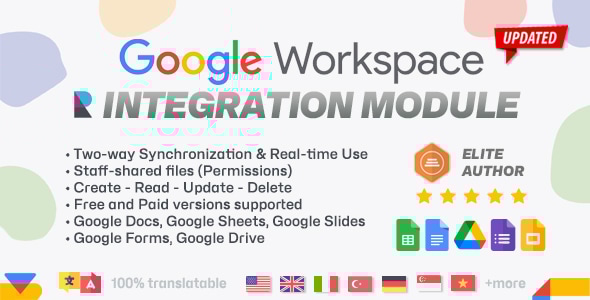
Work with your Google Workspace files without leaving your CRM
Our innovative module enables seamless two-way synchronization between specific Google Workspace services and Perfex, empowering you to Create, Edit, and Manage Spreadsheets / Docs / Slides / Forms / Drive Files effortlessly, right from your dashboard.
Elevate your productivity to new heights with the cutting-edge Google Integration Module for Perfex CRM and its features:
Seamless Integration
Instantly sync data between Perfex CRM, Google Sheets, Google Docs, Google Forms, Google Slides and Google Drive ensuring your information is always up-to-date and accurate.
Bi-Directional Updates
Make changes in Google’s side or Perfex CRM and see those changes reflected in real-time on both platforms.
Comprehensive Management
Create new Spreadsheets / Docs / Slides / Forms / Drive Files, edit existing ones, and manage your data without ever leaving the Perfex CRM interface.
User-Friendly Interface
Enjoy a sleek, intuitive design that makes managing your files a breeze.
Enhanced Collaboration
Share your synchronized Spreadsheets / Docs / Slides / Forms / Drive Files with team members, ensuring everyone stays on the same page.
Permissions-based
Admins can grant permission access or block specific Employees from accessing Spreadsheets / Docs / Slides / Forms / Drive Files through their admin area account. Staff members can request access from the file owners. When it comes to permissions and private files, access grant action is required and the process is automated (non-privs user is requiring access from the file owner).
Automated Workflows
Reduce manual data entry and errors with automated synchronization, saving you valuable time and resources.
Customizable Settings
Tailor synchronization settings to match your unique business needs and workflow requirements. Fetch data manually or automatically through Cron Job of Perfex CRM.
How it works
Why you need this module?
Boost EfficiencyStreamline your processes and eliminate the hassle of manually updating data across multiple platforms.
Ensure Accuracy
Maintain data integrity with real-time synchronization, reducing the risk of errors and discrepancies.
Save Time
Automate repetitive tasks and focus on what truly matters – growing your business.
Improve Collaboration
Foster better teamwork with easy access to up-to-date information for all team members.
Stay Organized
Manage all your Spreadsheets / Docs / Slides / Forms / Drive Files from a single, convenient location within Perfex CRM.
A few use cases
Sales TeamsTrack leads, manage sales data, and monitor performance with ease.
Marketing Departments
Organize campaign data, analyze metrics, and share reports seamlessly.
Finance Professionals
Sync financial records, budgets, and forecasts for accurate and efficient financial management.
Project Managers
Keep project data synchronized, ensuring all stakeholders have access to the latest information.
Transform Your Workflow Today!
Experience the power of seamless synchronization and take your productivity to the next level. Our Google Integration Module for Perfex CRM is designed to cater to a wide audience’s needs, making it the perfect addition to any business looking to optimize their workflow and enhance their data management capabilities.
Don’t miss out on the opportunity to revolutionize your business operations.
With its comprehensive features, user-friendly interface, and focus on boosting efficiency, the Google Integration Module for Perfex CRM is your ultimate solution for streamlined, accurate, and effective spreadsheet management. Say goodbye to manual updates / switching tabs and hello to a more productive day.
Installation/Support
It takes only a few seconds to be installed, activated and have our module fully working.
You can install our module by going to Perfex CRM Settings -> Modules -> Upload and upload the zip file downloaded from CodeCanyon. Activate the module at the next step and you will be all set, after browsing the included documentation and setting up everything third-party needed.
If you have any questions, feel free to raise a support ticket at our support area .
Guys from support department will get back to you as soon as possible with a reply.
Version 1.4.0
-Code Optimization
Version 1.3.0
-Google Forms support added -Google Slides support added -Google Drive support added
Version 1.2.0
-Google Docs support added
Version 1.1.0
-Functionality Improvements
Version 1.0.0
-Initial version