Gravity Forms QR Code
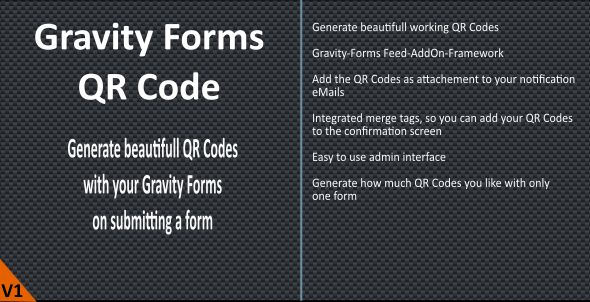
Welcome to the Gravity-Forms QR-Code Plugin
Easily generate QR Codes of your submitted form fields and integrate this into your confirmation or notification.
Features
- Easily generate QR Codes from your form data with Gravity Forms Feeds
- Define the Fields you need to include in your QR Code
- Define the label and size of the QR Code
- New Merge-Tags to integrate the QR code in Confirmations, Notifications and any other functions
- Attach QR Code as image to your Notification Mails
- Use Conditionl Logik to define if a feed will be fired
- Use of the Gravity-Forms API
- Gravity-Forms FeedAddOn Framework
- NEW !! Gravity-PDF integration
- NEW !! View the QR-Codes from the backend
- NEW !! GravityView support, if an entry is updated
Requirements
- PHP 7.1
- Wordpress >= 5.0
- Gravity Forms >= 2.5
Documentation
Visit the Gravity-Forms QR-Code Website or read the Full Gravity-Forms QR-Code PDF Documentation .
Supported Fields
- Standard Fields
- Single Line Text
- Paragraph Text
- Drop Down
- Multi Select
- Number
- Checkbox
- Radio
- Advanced Fields
- Name
- Prefix
- First Name
- Middle Name
- Last Name
- Suffix
- Date
- Time
- Phone
- Address
- Street Address
- Address Line 2
- City
- Zip
- State
- Country
- Website
- CreditCard
- Name
- Post Fields
- Post-Title
- Post-Content
- Post-Excerpt
- Post-Tags
- Post-Category
- Post-Custom-Fields
- Pricing Fields
- Product
- Quantity
- Shipping
- Total
* updated to Wordpress 6.x * updated to GravityPDF 6.1 * updated to Gravityforms 2.6.xRelease 2.5.0 – 2021-07-23 – ChangeLog
* updated to Wordpress 5.8 * updated to Gravityforms 2.5Release 2.4.0 – 2020-05-04 – ChangeLog
* strip the grcode field from th dynamic field mapping * fire a new feed and notifcation if an entry was updated by GravityView * process the feed if an entry was added or updated with the GFAPIRelease 2.3.0 – 2020-05-03 – ChangeLog
* delete all qr-code images if the form will be deleted * update the qr-code if the record will be updated from the backendRelease 2.2.1 – 2020-05-02 – ChangeLog
* fixed a merge-tag problem on some installations !! You need to re-enter your existing merge tags !! * fixed a problem with the file merge tagRelease 2.2 – 2020-04-26 – ChangeLog
* update to wordpress 5.4 * delete the qr-code image if the entry will be deleted * new merge tag functions * fileurl and filename will be saved as entry metaRelease 2.1 – 2020-02-20 – ChangeLog
* updated to gravity forms 2.4 * update to wordpress 5.3 * added feed specific merge tags * added the possibility to use more than one qr-code filed at a formRelease 2.0 – 2019-03-14 – ChangeLog
* changed to the CODECANYON plugin requirements * tested for WordPress 5.1 * updated to the latest QR-Code lib * added a custom field-type QR-Code that is already hidden at the form * better notification settings * Gravity-PDF integrationRelease 1.7 – 2018-05-24 – ChangeLog
* moved the qr-codes to the wp-upload directory * added possibility to duplicate a feed * updated to gravityforms 2.3 * updated to wordpress 4.9.6Release 1.5 – 2018-04-01 – ChangeLog
* added confitional logic to the feed processingRelease 1.4 – 2018-03-20 – ChangeLog
* added an dummy capability handling to support member plugins * moved to the latest endroid/qr-code libRelease 1.2 – 2017-11-06 – ChangeLog
* fixed a bug with the feed slug * now the plugin only uses his one feeds * added the possibility to add custom text to the qr-code * added the possibility to use the placeholders {tab}, {space} and {newline} * fixed a problem on attaching the qr-code * added a more secure filename handling Release 1.0 – 2017-02-28 – ChangeLog Initial Release