Hungry Frog
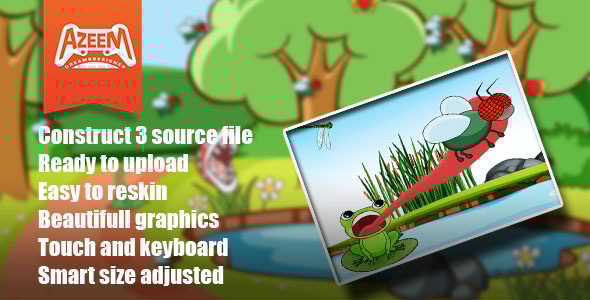
Tap on that pesky annoying fly to eat it. Features: – Fun comedic theme – Extremely simple game play – Responsive design – The game gets harder progressively. Hungry Frog is an amazing game with 10 levels.
Re skin & Customize services. Re skin services are available for this game. If you want to make a similar games or have ideas about the games for your website and all sort of platforms please contact us via [email protected] Or check out our portfolio at azeemdreamsdesigner.com Services Re skin graphics. Ads implementation. Adding New levels. Adding more features. Export to Mobile (Apk for google play) & iOS. Export for Facebook instant game. All you need to do first: In Order to Edit the files You need these following software to get started. Construct 3 Adobe illustrator (optional) Adobe Photoshop (optional) You can Also use any other software for graphics or animations. Main files There are 3 file types you will find inside the download. Html 5 build, APK for Android & construct 3. Source file. Construct 3 First you need Construct 3 which is an online software https://www.construct.net/en . Go to that website and launch. If you are new take a guided tour, which will further assist you and get to know the software. Note : You need to purchase the software licence if you need to make changes to the code. The software also has a free version to use for making more levels and changing graphics. Plugins required The plugins folder is in the main files. See how to install plugin here Additionally you can download all the plugins you need for the game in the link below. They are free. https://c2rexplugins.weebly.com/ https://rexrainbow.github.io/C2RexDoc/c2rexpluginsACE/pluginsIndex.html Photon engine https://www.photonengine.com/en-US/sdks#realtime-sdkrealtimeconstruct2 Gamemonetize Sdk https://gamemonetize.com/sdk Event Sheet & Main Game code. Go to the Event Sheet folder, you will see sheets associated with layouts There are 3 Layouts Menu , Level Selection and Main Game. Menu is where the Game loads Progress Data Coins etc. Level Selection is where Levels buttons are locked or unlocked based on the Last data received. Main Game For player tween & for enemies sine behavior is used for movement like frog tongue moves on touch. when the Player tongue collides with a piranha plant or the fish (enemy) health decreases. Also player play animation like(idle,eye blink,chewing,mouth open). Game Logic Victory is based on when the player ate all bees the level completed and victory popup appears. Game Over is based on if the player collision with the piranha plant and fish decreases health (max health is 3) and when the health goes 0 the player dies. Game over Popup appears. Audio There are different type of sounds like victory,game over,tongue,bees,health, Piranha plant,click,purchased. Game Save Data Local storage The game saves Progress, coins & best score when the victory triggers. Progress is responsible for level unlock. They are first stored in the global variables to work, throw the layouts and store these global variables to the dictionary then saves the dictionary AsJSON to local storage. At the Menu sheet the game checks the local storage to load the dictionary. Export to web, Mobile, Facebook instant. Go to the Menu at control panel Project > Export HTML 5 , Facebook instant, Android & iOS Click any of the following as per your requirement. Set the properties and Done. The project will make a build for you. Learn More https://www.construct.net/en/make-games/manuals/construct-3/overview/publishing-projects