Interactive 3D CGGallery - HTML5
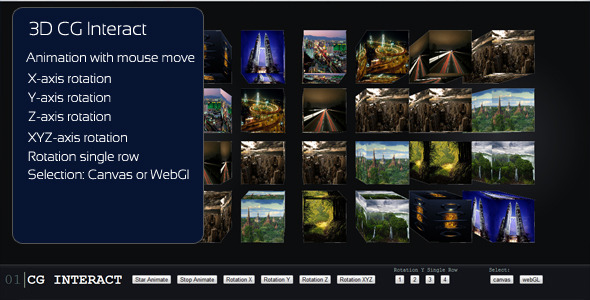
Animation with mouse move X – axis rotation Y – axis rotation Z – axis rotation XYZ – axis rotation Rotation single row Selection Canvas or WebGl
FUNCTIONALITY BUTTON:
Button1 (Start Animation): OnClick moving the mouse you have a 3D effect on the cubes that move away and approach, and the effect rotation effect.
btnRotationX (Rotation X): OnClick created the effect of rotation around the x axis of the cubes
btnRotationY (Rotation Y): OnClick created the effect of rotation around the y axis of the cubes
btnRotationZ (Rotation Z): OnClick created the effect of rotation around the z axis of the cubes
btnRotationXYZ (Rotation XYZ): OnClick created the effect of rotation around the xyz axis of the cubes
btnSingleRow1 (Rotation Y single row 1): OnClick created the effect of rotation around the y axis of the cubes to a single line (Row 1)
btnSingleRow2 (Rotation Y single row 2): OnClick created the effect of rotation around the y axis of the cubes to a single line (Row 2)
btnSingleRow3 (Rotation Y single row 3): OnClick created the effect of rotation around the y axis of the cubes to a single line (Row 3)
btnSingleRow4 (Rotation Y single row 4): OnClick created the effect of rotation around the y axis of the cubes to a single line (Row 4)
btnCanvas (canvas): OnClick you have possibility view approach canvas
btnWebGL (webGl): OnClick you have possibility view approach webGl
These two approaches give you the ability to select based on the browser that supports WebGL or Canvas