FAQ System for Bicrypto - Knowledge Base, AI-Powered Content & User Feedback Addon
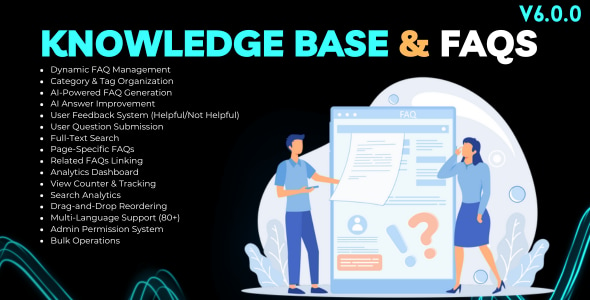
FAQ System for Bicrypto Features
- Dynamic FAQ Management: Create, edit, and organize unlimited FAQ entries with rich text answers, images, categories, and tags.
- Category Organization: Organize FAQs into categories with dynamic category creation and filtering for easy navigation.
- Tag System: Add up to 10 tags per FAQ with AI-suggested tags for improved discoverability and organization.
- AI-Powered FAQ Generation: Generate complete FAQs from topics using DeepSeek AI with optional context for accurate content creation.
- AI Answer Improvement: Enhance existing FAQ answers with AI to make them more comprehensive, clear, and helpful.
- AI Content Summarization: Create concise summaries of FAQ content using AI for quick overviews.
- AI Question Answering: Generate answers to user questions based on existing FAQ knowledge base.
- Batch AI Processing: Process multiple FAQs, entire pages, or all FAQs at once with progress tracking and results summary.
- User Feedback System: Thumbs up/down voting with optional comments to measure FAQ helpfulness and gather user insights.
- User Question Submission: Allow users to submit questions not found in FAQs with admin review and answer workflow.
- Question Status Management: Track user questions through PENDING, ANSWERED, and REJECTED statuses with admin responses.
- Convert Questions to FAQs: One-click conversion of answered user questions into published FAQ entries.
- Full-Text Search: Search across questions and answers with real-time results and search suggestions.
- Search Analytics: Track search queries, result counts, and popular search terms for content optimization.
- Page-Specific FAQs: Associate FAQs with specific application pages for contextual help and in-page display.
- Related FAQs Linking: Link related FAQs together for cross-referencing and improved user navigation.
- View Counter: Track FAQ views with automatic counter increment and view analytics over time.
- Analytics Dashboard: Comprehensive metrics including total FAQs, views, helpfulness ratings, category distribution, and trends.
- Most Viewed FAQs: Track and display top-performing FAQs by view count with category and rating information.
- Feedback Analytics: Monitor positive/negative feedback trends with time-series charts and monthly comparisons.
- Category Distribution: Visualize FAQ distribution across categories with counts and percentages.
- Drag-and-Drop Reordering: Easily reorder FAQs within and across pages with transactional updates.
- Bulk Operations: Perform bulk status changes, category updates, tag updates, and deletions on multiple FAQs.
- Page-Level Actions: Enable/disable or delete all FAQs for a specific page with single-click actions.
- FAQ Preview: Preview FAQ rendering before publishing with full formatting and image display.
- FAQ Accordion Display: Collapsible accordion interface with smooth animations, category badges, and card variants.
- Recently Viewed Tracking: Track and display user’s recently viewed FAQs for quick access.
- Saved FAQs Bookmarking: Allow users to bookmark FAQs for later reference via localStorage.
- FAQ Wizard: Interactive guided matching to help users find relevant FAQs through step-by-step questions.
- Multi-Language Support: Full internationalization with 80+ language translations for global accessibility.
- Admin Permission System: Granular permissions for create, view, edit, delete FAQs, feedback, questions, and analytics access.
- Rate Limiting: Built-in protection against spam for question submissions and feedback voting.
- XSS Prevention: HTML sanitization and input escaping for secure content handling.
- Soft Delete Support: Paranoid mode deletion for data recovery and audit compliance.
FAQ System for Bicrypto Demo Access
- Link: FAQ Public Page
- Link: Admin FAQ Dashboard
- Link: Admin FAQ Management
- Link: Admin User Questions
- Link: Admin User Feedback
- Link: Admin AI Assistant
FAQ System for Bicrypto Documentation
- Link: Installation Guide
- Link: Categories Management
- Link: User Questions Management
- Link: AI Integration Guide
FAQ System for Bicrypto Requirements
- Link: Bicrypto (core)
Change Log:
Bicrypto Update Notes
Support Alert
- if you have any inquiries please send us a ticket here: https://support.mashdiv.com/ which is our only official support method, or by direct contact on Envato
- We are exclusive authors, we don’t sell outside Envato, we never make offers outside Envato, we don’t contact you by email, please be aware and don’t reach out to random people who pretend to be us!
Need some help?
Faced a problem? No worries – our premium class customer support is always there to help you.
Support requests are being processed [normally] within 24 hours in the order they were received from Monday to Friday.
Please note that the fastest way to obtain support is to submit a request via our Support Portal: support.mashdiv.com/ . Requests received via CodeCanyon comments personal messages, or email will take a much longer time to process or can be not addressed at all!