Micro Office | Extranet & Intranet WordPress Theme
Powerful Intranet WordPress Theme 2.22.1
PLEASE READ THIS ARTICLE BEFORE UPDATING YOUR THEME
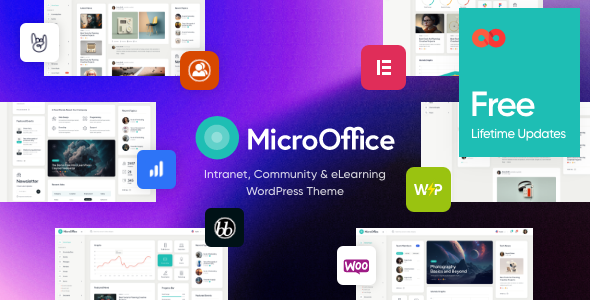
Micro Office is an intranet / extranet WordPress theme with an accents on performance and usability. It’s build to improve communication inside your company, firm or agency and to provide easy and user-friendly access to corporate data.
Intranet WordPress Theme Features
Awesome dashboards – post your events, business notifications, calendars, widgets, corporate graphs, post and news easily!
Community – we integrated the theme with BuddyPress plugin allowing your employees to build fully functional community, organize in groups and departments, communicate with ease and fun.
Polls – you can run internal polls and researches, share results using various graphs.
Education – the theme has full-featured tools to run online courses for your employees, both paid and free. Quizzes and tests allow checking the results.
File Sharing – the theme has file storage module that allows to manage internally important files.
Plugins for Extranet / Intranet WordPress Theme
Theme is made with Elementor Page Builder. It helps to create awesome intranet WordPress pages with no coding skills. Also Revolution Slider & M Chart will definitely make your project attractive. Furthermore The Events Calendar , BuddyPress & Content Timeline will help to keep readers involved. WP Job Manager & Democracy Poll will help you make educational tests & surveys.
Go ahead and enjoy this awesome extranet / intranet WordPress theme!
Micro Office Key Features
- Professional design
- One-Click demo installation
- Modern, Flexible, Customizable
- WordPress 4.5+ Tested and Approved
- Built with HTML5 and CSS3 code
- Cross-Browser Compatibility: FireFox, Safari, Chrome
- Slider Revolution & Swiper Slider included
- Retina Images Support
- User menu and Main menu support
- Interactive Ajax Search
- Flexible Colors & Typography
- Layout Features:
- 100% Responsive & Mobile-friendly
- Boxed and Fullwidth page layouts
- Elementor Page Builder support – modify any page content easily
- Customize Header and Footer Layouts in Elementor Page Builder
- Advanced Blog Settings:
- Multiple Blog Styles
- Flexible Layout Options
- 20+ Post Animations
- Customizable Blog Feed (choose from post types or categories)
- Post views, likes and sharing buttons
- Related Posts Section
- Powerful Theme Framework:
- Setting Inheritance and Override System
- 750+ Customizer Options
- Custom Post Types
- Custom Widget Sets
- Custom Shortcodes
- Custom Theme Options Panel
- Optimized for best performance
- ...and many more!
- Plugins Compatibility:
- Elementor
- ThemeREX Addons
- ThemeREX Updater
- bbPress
- etter Messages
- BuddyPress
- BuddyPress Activity ShortCode
- BuddyPress Docs
- BuddyPress for LearnDash
- Contact Form 7
- Democracy Poll
- elegro Crypto Payment
- Elementor
- Knowledge Base for Documents and FAQs
- M Chart
- M Chart Highcharts Library
- MC4WP: Mailchimp for WordPress
- Paid Memberships Pro
- rtMedia for WordPress, BuddyPress and bbPress
- The Events Calendar
- WooCommerce
- WP Job Manager
- WPML
- Fontello & Image Icons
- Google Fonts
- Professional Support
- Detailed Documentation
- Regular Updates
- And many more
Clipart
FREE
Fonts
Google FontsChange log
30.01.2026 Version 2.22.1 – Update
- WP 6.8.2 compatibility has been added; Plugins have been updated to their latest version09.10.2025 Version 2.21 – Update
- Added QW Extension addon (to version 1.6.2) has been added; - Accessibility improvements for WP Accessibility Check have been added; - Events list Widget: the Classic layout now includes the event time in addition to the date; - Images Compare Widget: Separate styling for separator/handler, option to hide handler and control tag/offsets for "Before" & "After" have been added; - Style tweaks for The Events Calendar integrations have been added; - Audio widget: template "default" (select audio from library) has been added.17.09.2025 Version 2.20 – Update
Added: - Plugin Settings – Added links to documentation and descriptions of custom Elementor settings/widgets. - Stack Sections – Added transition duration control for Zoom, Blur, Opacity effects. - Elementor Presets Support – Added ability to save/load custom style presets for widgets, sections, columns, and containers. Stored in /plugins/trx_addons/presets/trx_addons-presets.json. - Skin Notice – Admin notice now includes "Dismiss" (7 days) and "Never Show Again" options. - Accessibility Improvements – Added role="button" to non-link anchors, converted anchor tags to <span> where appropriate, and added control for target="_blank" for external links. - TrxAddons: Hook for SportsPress to prevent redirecting to the “Welcome” screen after activation during demo import. - Theme Core Check: Added warning if theme core isn't updated before skin update (to avoid missing functions). - Backdrop Blur: New settings for sections, columns, containers, and all Elementor widgets; default semi-transparent background for sticky sections. - HotSpot Widget: Major redesign for responsive positioning and styling; added tag selection, icon customizations, popup alignment, offsets, and more. Fixed: - Security: Fixed potential LFI vulnerability during pagination. - TrxAddons: Tribe Events export now checks for new TEC tables (tec_events, tec_occurrences) if no events in wp_posts. - Stack Sections: Fixed offsets, sticky section positioning on iOS, and animation issues with GSAP. - TrxAddons: Fixed issue where inserting an empty header/footer would insert full page content. - AJAX Responses: Standardized response parsing and error handling across theme/plugin. - Mobile Menu: Fixed auto-close when clicking tabs inside the menu. - PHP 8 Compatibility: Fixed various warnings and errors with string/integer operations and child post queries. - Header Fixes: Ensured mobile menu button displays correctly in default headers not using shortcodes. - Customizer: Fixed reset behavior for Logo option. - Minor bug fixes and optimization.</span>11.09.2025 Version 2.19 – Update
- CSS\PHP fixes for WP 6.8.2 (shortcodes\widget layouts);02.06.2025 Version 2.18 – Update
Updated: QW Extension addon (to version 1.6.1); Updated: Optimized all image files stored in the plugin and theme folders; Added: TrxAddons: WPML – added translation support for our Elementor Extensions like "Background Text"; Added: theme_filter_page_title_selector filters in JS and PHP to allow replacement of the page title selector in Elementor skins and clones; Added: In the woocommerce.js script, added updating of the total number of products on the page after loading the next batch via load_more or infinite; Added: a forced check for addon and skin updates via the "Check again" link; Added: support for skin filtering keywords in the Theme Dashboard; Fixed: SEO attributes now respect the "SEO snippets" option to avoid validation issues; Fixed: in the WooCommerce page processing script – Cart: after changing the shipping address on touch devices (mobiles, tablets), the product table disappeared; Fixed: in the markup and styles of sub-tabs in theme and plugin options to align the spacing from the last sub-tab to the next tab’s heading; Fixed: In theme options, added a selector to display a divider if a hidden option (type=hidden) precedes it. Previously, the divider (border) was missing in this case; Fixed: Disabled initialization of the mediaelements script for videos inside the Revolution Slider; Fixed: Moved loading of translation domains and theme plugins to priority -1 on the after_setup_theme action; Removed: 'medium' from external thumbnail sizes to prevent conflicts with the custom trx-addons-thumb-medium size; Removed: the Twenty20 Image Before-After plugin is no longer recommended for installation (compatibility is retained), please use the Images Compare widget instead07.01.2025 Version 1.27 – Update
Removed: Disabling of rendering replacement in the Post Featured Image block for FSE themes (works only for video, audio, and gallery formats now) Fixed: Sticky sidebar positioning script on fullwidth pages, when fixed_blocks_sticky == false selected in the options Fixed: Syntax in the function of the URL replacement for Vimeo videos 22.07.2025 Version 2.16 – Update
Update theme core files 22.07.2025 Version 2.15– Update
Skin 'default' is updated to the version 1.9. 22.07.2025 Version 2.14– Update
Update theme core files. 22.07.2025 Version 2.13 – Update
-Skin 'default' is updated to the version 1.8.18.06.2025 Version 2.12 – Update
- Added: Social Network Demo - Emoji support and social sharing buttons02.06.2025 Version 2.11 – Update
- CSS\PHP fixes for WP 6.8 (shortcodes\widget layouts);11.04.2025 Version 2.10 – Update
- CSS\PHP fixes for WP 6.8 (shortcodes\widget layouts);15.02.2025 Version 2.9 – Update
Added: AI Helper: OpenAI-based trained AI Assistant V2; Added: Selector to show separator before hidden option; Fixed: AI Helper: styles of the AI widgets: Image Generator, Text Generator, AI Chat; Removed: .select_container wrapping for <select> – wrap manually if needed21.12.2024 Version 2.9 – Update
- CSS\PHP fixes for WP 6.8 (shortcodes\widget layouts);09.10.2024 Version 2.7 – Update
- Fix: CSS\JS\PHP fixes (shortcodes\widget layouts) - Desktop and devices styles have been improved18.04.2024 Version 2.6 – Update
- Fix: CSS\JS\PHP fixes (shortcodes\widget layouts)21.03.2024 Version 2.5 – Release
- Courses & Learning Homepage21.03.2024 Version 2.4 – Release
- Update theme core files21.03.2024 Version 2.3 – Release
- Skin 'default' is updated to the version 1.1.21.03.2024 Version 2.2 – Release
- Update theme core files 21.03.2024 Version 2.1 – Release
-Skin 'default' is updated to the version 1.1.08.09.2023 Version 2.0 – Release
- The Theme Builder has been switched to Elementor; - Theme сore has been updated; - Theme content has been updated; - Theme design has been updated; - Theme demo data has been updated; - Layout builder has been added; - Essential Grid plugin has been removed; - Advanced Popups plugin support has been added08.12.2021 Version 1.4.2 – Update
- Compatibility with WordPress 5.8.2 has been improved; - Compatibility with PHP 8.1 has been improved; - Theme styles have been improved; - All plugins have been updated to their latest versions14.04.2021 Version 1.4.1 – Update
- Compatibility with WordPress 5.7x has been improved; - Compatibility with PHP 7.4 has been improved; - Team Member Details has been fixed; - User menu has been fixedl - Likes counter has been fixed; - JS scripts have been updated; - Google maps, likes, views, login and registration form have been moved to Micro Office Utilities; - Theme styles have been improved; - All plugins have been updated to their latest versions26.08.2018 Version 1.4 – Update
- BuddyPress styles are fixed; - Documentation is updated.13.08.2018 Version 1.3 – Update
- Checkboxes to default contact forms are added, to make forms GDPR-compliant; - GDPR Framework plugin is added; - Alert for demo data installation is added; - Gutenberg compatibility is added; - WordPress 4.9.7 support is added; - All plugins are updated to their latest versions04.04.2017 Version 1.2 – Update
- Menu styles are updated; - Sidebar issues are fixed; - WPBakery Page Builder is updated06.01.2017 Version 1.1 – Update
- Responsive is fixed;19.12.2016 Version 1.0 – Release