Monocolor - Premium Moodle Theme
Version 1.10.7 [ October 15, 2025 ] for Moodle 5.1, 5.0, 4.5 LTS
Monocolor – Moodle Theme
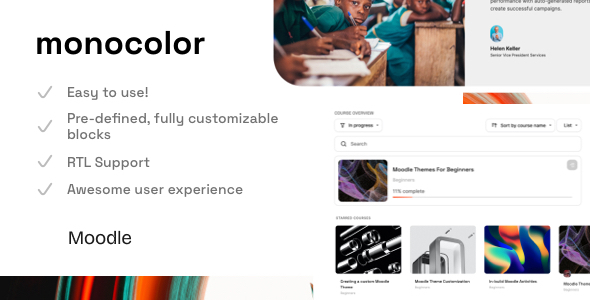
Experience the sleek and stylish interface of Monocolor. With its simple and aesthetic design, Monocolor stands out with its unique course page that includes additional tabs for an enhanced user experience. Discover the cool and sophisticated features that Monocolor has to offer!
Online Moodle Theme Documentation
Don’t forget to check out the online documentation page – it’s an invaluable resource for mastering and customizing the theme right from the beginning.Access an admin user
Do you need to check how the theme works? Test all available options, install custom plugins, and try to build a course. Just contact me via support page/form .
Theme features
- 30+ fully customizable front page blocks Learn more
- Simple Front Page Builder
- Custom Enrollment Page
- Fully Responsive Design
- In-build Dark Mode
- 2-course layouts (Standard, Tabs)
- Online documentation
- Multi-language Support
- Support for RTL languages
- Compatibility with popular plugins
- Unlimited Colors
- Google Fonts Support, GPDR Support
- Awesome Customer Support
- For Beginners – Detailed documentation and a dedicated support page.
- For Pro – Fully access to SCSS. The Child-theme in the package.
Changelog
# Changelog for Monocolor Premium Moodle Theme This document outlines the changes, improvements, and fixes made to the Monocolor Premium Moodle Theme over - - - - ## [1.10.2] - May 14, 2025 ### Fixed: - Badge display and alignment issues in course contents block - Calendar header UI improvements for better visibility and accessibility - Adjusted recently accessed items icon size for consistent display - Resolved H5P iframe flickering issue by implementing proper positioning and responsive dimensions - Improved block controls positioning in mobile view ## [1.10.1] - April 11, 2025 - Minor Bug Fixes ## [1.10.0] - March 6, 2025 # Added: - Enhanced Category Menu for improved navigation experience - Engaging Login Page Introduction Image to captivate users - Redesigned Login Page Layout #6 for a more user-friendly interface - User Table with Filter Dropdown featuring a scrollbar for seamless access # Improvements: - Revamped Custom Enrollment Page UI for a more intuitive and engaging design # Fixed: - Resolved issues with Forum Module UI to ensure smoother interactions - Fixed bugs in Search Course functionality for enhanced performance - Addressed various minor bugs to improve overall stability and user experience ## [1.9.6] - February 24, 2025 # Added: - Optional background image for enhanced visual appeal # Fixed: - Minor Bug Fixes to ensure consistent performance ## [1.9.5] - February 1, 2025 # Fixed: - Minor Bug Fixes to maintain system integrity ## [1.9.4] - August 21, 2024 # Improvements: - Enhanced Blog Layout for better readability and user engagement ## [1.9.3] - August 1, 2024 # Fixed: - Minor Bug Fixes to ensure smooth functionality ## [1.9.2] - July 19, 2024 # Fixed: - Minor Bug Fixes to enhance user experience ## [1.9.1] - June 26, 2024 # Fixed: - Minor Bug Fixes to maintain system reliability ## [1.9.0] - June 20, 2024 # Added: - Custom Enrollment Page for improved user onboarding # Improvements: - User Tour enhancements for better guidance - UI and several WCAG Improvements for accessibility # Fixed: - Minor Bug Fixes to ensure consistent performance ## [1.8.3] - May 20, 2024 # Fixed: - Minor Bug Fixes to enhance overall stability ## [1.8.2] - April 19, 2024 # Added: - Support for Moodle 4.4 to ensure compatibility # Fixed: - Minor Bug Fixes to maintain system integrity ## [1.8.1] - April 17, 2024 # Fixed: - Minor Bug Fixes to ensure smooth operation ## [1.8.0] - April 16, 2024 # Added: - New Icon system: FontAwesome replacing standard image-based icons - Course Custom Fields UI for enhanced customization - New UI (progress bar) for Weekly format to improve user experience # Improvements: - Course Image on the course page (.rui-course-cover) now maintains an aspect ratio instead of a fixed height # Fixed: - Resolved Dark Mode UI Issues for better usability - Minor Bug Fixes to enhance overall performance ## [1.7.2] - March 6, 2024 # Improvements: - Child theme enhancements for better customization - General UI improvements for a more cohesive experience ## [1.7.1] - March 5, 2024 # Added: - Dark Mode Customization Options for user preference # Improvements: - Guest Badge now includes a back to top button for easier navigation # Fixed: - Resolved Dark Mode UI Issues for improved accessibility - Minor Bug Fixes to ensure consistent performance ## [1.7.0] - February 21, 2024 # Added: - New SEO options for better search visibility - New Icons (Custom certificate) for enhanced branding # Improvements: - Course Index UI enhancements for better navigation - Book UI improvements for a more engaging reading experience - Forum UI enhancements for better user interaction - Quiz UI improvements for a more intuitive assessment experience # Fixed: - Minor Bug Fixes to maintain system reliability ## [1.6.1] - February 8, 2024 # Added: - Roster Report UI for better tracking - New Icons (Google Meet For Moodle, Organizer, Mootyper, Custom Mailing) for enhanced functionality # Improvements: - Compliance with GPDR rules ensures code visibility is restricted to logged-in users. # Fixed: - Course Activity Icons Color Customization for better visual consistency - Minor Bug Fixes to enhance overall stability ## [1.6] - February 5, 2024 # Added: - Custom Alert ID (Space - Custom Alert - Custom Alert ID) to reset alert visibility - Optional Video Full-Width Size (Forced) for better media presentation - UI Support for Supporter Administration Tool for enhanced management - Realtime Quiz UI Support for immediate feedback - Roster Report UI for better tracking of user progress # Improvements: - Block Timeline UI enhancements for better organization - Feedback Activity UI improvements for a more engaging experience - Login Form - "Show/Hide Password" button now functions on key press (Space/Enter) - Login Form - "Show/Hide Password" Additional Icon for better usability - OneTopic format - Darkmode enhancements for improved readability - Book UI improvements for a more engaging reading experience - Custom Alert and Sticky Buttons enhancements for better visibility - Grade Report Sticky Buttons Issue resolved for improved functionality - Local Mail UI improvements for better communication # Fixed: - Resolved Badges Remote Badge Missing Image Issue for better user experience - Custom Alert - Close Once functionality improved - Remote badge image issue resolved for better visibility - Report Grades UI enhancements for better clarity - Minor Bug Fixes to ensure consistent performance ## [1.5.2] - December 8, 2023 - Minor Bug Fixes (Groups - Moodle 4.3) to maintain system integrity ## [1.5.1] - November 27, 2023 - Several improvements made for the version compatible with Moodle 4.2 - Minor Bug Fixes to ensure consistent performance ## [1.5] - October 10, 2023 # Added: - Additional classes bg-primary-100 ... bg-primary-900, bg-gray-100 ... bg-gray-900 for better styling options - Back To Top Button (Space - General - Back to Top Button) for improved navigation - Course Card - Custom Fields (Monocolor - Course Page - Course Card - Show Custom Fields) for enhanced customization - New Show/Hide Sidebar Button Icons for better user interaction - Show/Hide Sidebar Button Aria Label (Open/Close) for improved accessibility - New Admin Settings Icon for better visibility - Sidebar Label on Hover (Space - Sidebar - Sidebar Label Customization) for enhanced user experience - Tooltips for Messages and Notifications (on the top bar) for better guidance # Improvements: - Calendar UI enhancements for better usability - Course Management UI improvements for a more intuitive experience - Course Format Tiles UI enhancements for better organization - Course Image (on the course page) improvements for better visual appeal - Backup UI enhancements for improved functionality - Calendar UI improvements for better user experience - Forms UI enhancements for better usability - Label Module (RWD) improvements for better responsiveness - Lesson Module enhancements for a more engaging learning experience - Proctorio Support for enhanced assessment security - Grade Report UI improvements for better clarity - Login Page (Full-width Select Field) enhancements for better usability - Message UI improvements for better communication - Subcourse Module Dark Mode Support and additional UI Improvements for better accessibility - Sidebar Icon (Show/Hide) now hidden when the course index is opened for better navigation - Quiz Page - UX improvements for better quiz navigation and user experience - Completion Progress Block enhancements for better tracking - Feedback Multiple Choice improvements for better user engagement # Fixed: - Resolved Blinking Page issue when Right Sidebar is Opened for better user experience - Fixed Duplicate reactions with Point of view - Feedback Plugin for improved functionality - Addressed several issues with TinyMCE editor for better usability - Resolved First-time drawer block open (forceblockdraweropen) issue for Mod Book, Quiz, Lesson for better functionality - Fixed Heading Color (Space - Customization - Text Colors) for better visibility - Resolved Unsupported operand types: string - int issue (When Course Summary Limit is null) for better performance - Minor Bug Fixes to ensure consistent performance ## [1.4.3] - June 24, 2023 # Improvements: - Course Format Edwiser Dark Mode Support for better accessibility - Course Format Titles Dark Mode Support for improved readability # Fixed: - Minor Bug Fixes to maintain system integrity ## [1.4.2] - June 20, 2023 # Fixed: - Minor Bug Fixes to ensure consistent performance ## [1.4.1] - June 15, 2023 # Fixed: - Minor Bug Fixes to maintain system reliability ## [1.4] - June 14, 2023 # Added: - Additional subheading for front page blocks for better organization - Custom Course Activity Icons Color for enhanced branding - Light Mode Tooltip Title (General - Light Mode) for better guidance - Optional Course Language Badge (Course - Course Language Icon) for improved visibility - Tab #2 as an active (Monocolor - Course Page - Course Tab #2 Course Content (active by default)) for better navigation # New: - Messages UI for improved communication # Updated: - FontAwesome (6.4.0) for better icon support # Improvements: - Additional Top Bar Button is now visible for guest users for better accessibility - Database Module UI enhancements for improved usability - Lesson UI improvements for a more engaging learning experience # Fixed: - Resolved Dark Mode Minor Bugs for better usability - Minor Bug Fixes to ensure consistent performance ## [1.3.1] - April 27, 2023 # Added: - Optional Edit mode button on the top bar for better user control # Improvements: - Auto open course tab#2 when the course index is open for better navigation - Top bar additional button style enhancements for improved visibility # Fixed: - Resolved Course Tab regions for better organization - Minor Bug Fixes to maintain system integrity ## [1.3] - April 20, 2023 # Added: - Additional Body Class depending on user roles for better customization - Top bar menu customization options (You can turn on/off Site home, Dashboard, Site administration links) for improved user control - Course Card Description (Course List Page) [ Monocolor - Course Page - Course Card] for better clarity # Fixed: - Minor Bug Fixes to ensure consistent performance ### [1.2.3] - April 3, 2023 # Improvements - Icon on the avatar when switching role for better visibility # Updated: - FontAwesome 6.4.0 for enhanced icon support # Fixed: - Resolved Confirmation account UI issues for better usability - Fixed Quiz UI (Dark Mode) for improved accessibility - Minor Bug Fixes to maintain system integrity ### [1.2.2] - March 10, 2023 ## Fixed: - Resolved Confirmation account UI issues for better usability - Fixed Course Image Mask Color for improved visual consistency ### [1.2.1] - March 10, 2023 - Minor Bug Fixes to ensure consistent performance ### [1.2] - March 7, 2023 # Added: - Workplace course certificate UI Support for enhanced functionality - Database UI for Moodle 4.1 for improved compatibility # Improvements: - SCORM UI enhancements for better usability - Top Bar Logo Settings for improved branding - PHP Code Optimization for better performance - Course Card improvements for enhanced user experience - Dark Mode enhancements for better accessibility - RTL Layout improvements for better support # Fixed: - Resolved Hints bugs (Space - General - Show Hints for guest user etc.) for better functionality ### [1.1.2] - February 26, 2023 ## Fixed: - Resolved Image Roundness (Blocks) for better visual consistency ### [1.1.1] - February 22, 2023 - Minor Bug Fixes to ensure consistent performance ### [1.1] - February 11, 2023 ## Added: - Theme Settings: - H5P Custom CSS for enhanced styling - Dark Mode as a main theme (General - Dark Mode Only) for improved accessibility - Front page blocks order settings - UX improvements (sorting by position) for better organization - Course Index Page: - Optional Course Index (Monocolor - Course page - Hide Course Index Navigation) for improved navigation - New Course Index Icon for better visibility - Optional Course Index Sidebar for enhanced user control - Simple Course List (Monocolor - Course Page - Simple Course List) for better clarity ## UI Improvements: - Atto Editor enhancements for better usability - Assignment UI improvements for a more engaging experience - Course Index Page (course/index.php) enhancements for better navigation - Dark Mode improvements for better accessibility - Grading UI enhancements for improved clarity - H5P content improvements for better user experience - Login Page enhancements for better usability - Message UI improvements for better communication - RTL Layout enhancements for better support Fixed: - Resolved Display Course Card Image Mask Settings (Monocolor - General) for better visibility - Fixed Grading UI (Moodle 4.1) for improved functionality - Resolved Password Input Field UI issues for better usability - Fixed Custom Fields Editing for enhanced user experience - Minor Bug Fixes to ensure consistent performance Updated: - FontAwesome 6.2.1 for better icon support ### [1.0.1] - December 30, 2022 Fixed: - Resolved Unnecessary gap (course footer) when a course doesn't have the image cover for better layout - Fixed Missing Course Index on the activity page for improved navigation - Resolved Custom Alert z-index issues for better visibility Improvements: - Enhanced Course Tabs (More Menu) for better organization - Improved Show More/Less button UI for better usability - Refined "Cancel" button style for improved visibility ## [1.0.0] - December 12, 2022 - Released