Opt-In Panel for WordPress
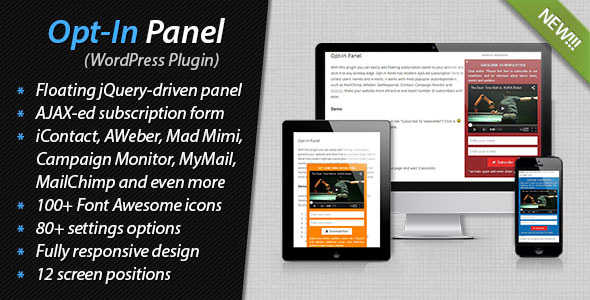
With this plugin you can easily add floating subscription panel to your website and stick it to any window edge. Opt-In Panel has modern AJAX-ed subscription form to collect users’ names and e-mails (no extra fields, don’t annoy users by huge form ;-)). It works with most popuplar autoresponders, such as MailChimp, AWeber, GetResponse, iContact, Campaign Monitor, ActiveCampaign, Mad Mimi and MyMail . Make your website more attractive and boost number of subscribers with ease.
GDPR-ready
- Add “Terms & Conditions” checkbox to opt-in form.
- Integration with WordPress-native Personal Data Tools.
Demo
Please visit Opt-In Panel demo page and check out how it works.Features
- Floating subscription panel: add floating subscription panel to website.
- 12 screen positions: stick floating panel to any window edge.
- 80+ settings options: customize your Opt-In Panel through admin dashboard.
- 100+ Font Awesome icons: use any of 100+ icons for button and tab.
- Display on whole website: Opt-In Panel might be displayed on all website pages.
- Shortcode and PHP-driven: use shortcode and/or php-snippet to show panel on certain pages only.
- Subscription form: AJAX-ed name/e-mail subscription form.
- Extended e-mail address validation: check MX records according to the host provided within the email address.
- Autoresponders supported: MailChimp, AWeber, GetResponse, iContact, Campaign Monitor, ActiveCampaign, Mad Mimi and MyMail supported.
- Double Opt-In: native double opt-in feature.
- GDPR-ready: add checkbox to opt-in form + integration with WordPress-native Personal Data Tools.
- Responsive design: Opt-In Panel looks nice on small screen devices.
- Auto-expanse option: Opt-In Panel might be automatically expanded with defined delay.
- Auto-close option: Opt-In Panel might be automatically collapsed after successful subscription.
- Remember the state: Opt-In Panel rememebrs the state for each visitor.
- Intro content supported: insert any HTML-content above subscription form.
- Conclusion supported: insert any HTML-content below subscription form.
- Image as a tab: set any image as a tab.
- Color customization: easily customize the color of any element.
- Admin notification: automatically notify administrator about new subscribers.
- Thanksgiving message: automatically send thanksgiving message to new subscribers.
- CSV Export: list of subscribers can be exported as CSV-file to be used with any newsletter systems.
- Easy to install: install and activate the plugin as any other plugins.
- Translation ready: plugin might be translated to any language.
- WordPress Best Practices: no any alerts from Plugin Check and WP_DEBUG.
Installation
- Install and activate the plugin. Once activated, it creates menu “Opt-In Panel” in left side column in the admin area.
- Click left side menu “Opt-In Panel >>> Settings” and configure Opt-In Panel.
- Enjoy your Opt-In Panel.
Configuration
After activation plugin creates left-side menu “Opt-In Panel” in WP dashboard. Go to “Opt-In Panel >>> Settings” page and configure the plugin. On this page you can find the following sections:- General Panel Settings: opt-in panel position, width, colors and HTML-content.
- Subscription Form Settings: input fields placeholders, button labels, colors and button icon.
- Tab Settings: tab label and icon, colors and tab image.
- Behavior Settings: auto-expanse and auto-close options.
- Mailing Settings: notification and confirmation settings.
- Autoresponders Settings: MailChimp, AWeber, GetResponse, iContact, Campaign Monitor, Mad Mimi and MyMail settings.
Support
If you have problems regarding using the plugin, please contact me and I’ll help you.Change Log
[2024-02-10 - version 2.21 released] - Updated GetResponse integration. - Minor bug fixed. [2018-05-31 - version 2.20 released] - GDPR-ready. - Minor bug fixed. [2017-06-20 - version 2.11 released] - Minor bug fixed. [2015-10-23 - version 2.10 released] - Added ActiveCampaign integration. [2015-10-04 - version 2.00 released] - Added native double-opt in. - Added Groups and Fields to MailChimp integration. - Upgraded Font Awesome to latest version 4.3.0. - Minor bugs fixed. [2014-09-26 - version 1.50 released] - Added support of MyMail 2.X. - Added double opt-in for MyMail. - Upgraded Font Awesome to latest version 4.2.0. [2014-04-26 - version 1.40 released] - Added Mad Mimi support through their API. [2014-03-23 - version 1.28 released] - Initial release.
Credits
- Fugue Icons [icons]
- Font Awesome by Dave Gandy – http://fontawesome.io/ [icons]