PixConvert – All-in-One Image Converter App | Android Source Code
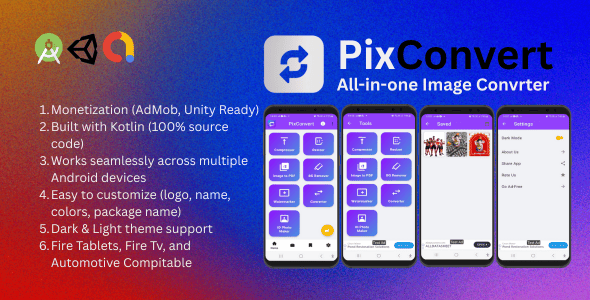
PixConverter – All-in-One Image Converter App
Powerful Android source code to convert, compress, and manage images with ease. Built in Kotlin with modern Material UI & AdMob integration.
✨ Key Features
- Convert images between JPG, PNG, WEBP
- Compress images with adjustable quality
- Resize & crop tools with aspect ratio support
- Remove background
- ID Photo maker
- Convert images to pdf
- Modern Material UI with Dark & Light themes
- Works fully offline
- AdMob and Unity Integration: Banner, Interstitial & App Open Ads
- 100% Kotlin source code – clean & developer-friendly
- Easy to rebrand: change logo, name, colors & package
⚙️ Requirements
- Android Studio Arctic Fox or newer
- Kotlin 1.x+
- Android 5.0 (API 21) and above
- AdMob account (for monetization)
What’s Included
- Full Android Studio Project (Kotlin source code)
- Documentation (PDF with setup & customization guide)
- Demo APK
- UI assets & icons
Customization
- Change App Name →
res/values/strings.xml - Change Package Name → Refactor → Rename in Android Studio
- Change Logo → Replace
ic_launchericons inres/mipmap - Change Theme/Colors → Edit
colors.xmlandthemes.xml
Build & Publish
- Build → Generate Signed APK / App Bundle in Android Studio
- Create a Keystore & sign your app
- Upload AAB/APK to Google Play Console
- Add Store Listing (description, screenshots, privacy policy)
- Submit for review & publish
Support
For support, bug reports, or customizations, please contact via the CodeCanyon support system.
DEMO APK: https://www.mediafire.com/file/r1cq06c2ijamnu5/demo.apk/file
WATCH VIDEO: https://www.youtube.com/watch?v=kE6GB4mDyH4