Pop Audio Player
About Pop Audio Player
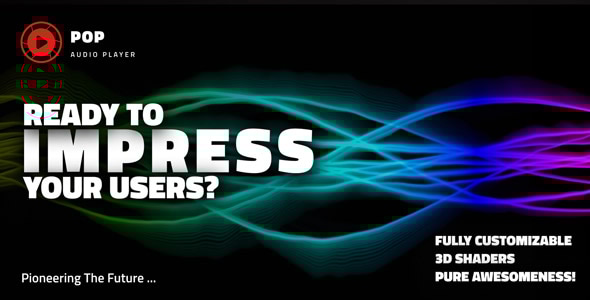
Embark on an unforgettable audio adventure with Pop Audio Player—powered by Three.js and custom WebGL shaders—featuring a fullscreen, multi‑mode visualizer with rainbow themes, peak caps, and cinematic FBO trails. Switch from LED spectrum bars to circular tunnel visuals or a deep galaxy scene, and experience music with smooth, real‑time audio‑reactive motion.
Main features
Responsive Layout – Fully responsive and adaptable regardless of which device is used.
Desktop & Mobile Optimized – Pop Audio Player will adapt to any screen size and any device, whether you are using a mobile phone (iOS/iPhone, Android) or on your desktop browser.
Lazy Scrolling/Loading – Option to initialize Pop Audio Player on scroll when the audio player is visible in the page. If the player starts off-screen it will not be initialized until the user scrolls to the section where the player is added.
Two-Way Controls – Two-way controls, normal or compact ; the compact controls can be set at any width.
Keyboard Support – UP & DOWN ARROWS: volume up or volume down, M: mute / unmute, SPACE: play / pause, LEFT & RIGHT ARROWS: scrub audio.
Customizable Size – Pop Audio Player can be set to any width or height and can be added anywhere in your page or app.
Vector Skin – Everything is vector based; this will make the player look sharp on all devices mobile or desktop.
Shoutcast And Icecast Support – Pop Audio Player can play radio stations using Shoutcast v2.0 or higher and Icecast v2.0 or higher; the song artwork thumbnail, artist and title will be grabbed from the server automatically.
External Sources & Cloud Storage – Play .mp3 files from many external sources including Amazon S3, Google Drive, other cloud storage platforms like Dropbox or any public link that can play in a browser.
Single Media File Format – Only one format is required: .mp3 across all browsers mobile and desktop.
Playlist – Optional playlist with bars visualizer, artist, title, like button and play/pause button.
Visualizer Preset Modes – Switch between named visual presets: Bars, Bars 2, Circular Bars, Circular Bars 2, Waves, Waves 2, Mountains, Spectralizer, Sphere, Sun, Love, Speak, Geometry, Galaxy and more.
Audio-Reactive Shaders – Custom WebGL shaders react in real time to the music spectrum (FFT bins), driving shapes, motion, glow, and color for a true “alive” visual experience.
Cinematic Feedback Trails – Multi-pass feedback / FBO trails create smooth motion blur-like persistence with controllable fade, zoom, and trail strength for a cinematic look.
Color & Theme Controls – Fine-tune the vibe with multiple palette slots (bottom/top/caps), background blending, global opacity and per-element opacity for subtle or bold themes.
Waves Tuning – Dial in the waves preset with controls for wave count, amplitude, speed, frequency and thickness—great for everything from calm ambient lines to high-energy motion.
Bloom & Glow Effects – Optional post-processing bloom adds punch and depth. Adjust strength, radius, threshold and tint to match the visual style of your brand.
Performance-Friendly Rendering – Smart visibility-based rendering can pause GPU work when the player is off-screen and resume instantly when it comes back into view—ideal for pages with multiple players.
Customizable Controls – All buttons can be removed; this applies to the scrubbers as well.
Autoplay – Autoplay feature that will try to play the audio. If this is prevented by the autoplay browser policy the audio will start when the user first clicks the browser viewport, example here .
Loop And Shuffle – Loop and shuffle buttons; these features can be used without the buttons.
Like Button – Like button inside the playlist or/and the player controls.
Artwork Image – Customizable thumbnail image artwork inside the player controls or/and the playlist items.
Title And Artist – Both the playlist and controls can have artist and/or title.
Share Window – Share window with nine sharing platforms; the order of the share buttons can be set as you want.
Volume Button & Scrubber – Customizable volume and volume scrubber.
Playback Rate Button & Scrubber – Customizable playback rate button and scrubber; change the audio file playback rate speed and set the default playback rate speed.
Magic Scrubbers Hit Point – All scrubbers like the volume scrubber, main audio scrubber or the playback rate scrubber size can be set to any size, and the actual mouse/finger hit point is much larger than the visual scrubber size so even if the visual size of the scrubber is 1px thin, the user will be able to scrub with ease both on mobile and desktop machines.
Scrubbers Tooltips – Customizable scrubbers tooltips that show the current value.
Encrypt Audio Source – Using this feature will not allow a user or bot to see or steal the audio source from the page source. This can be used for all supported formats.
Powerful API Included – Full set of API methods and API events, for example change the audio source using the API and listen for specific events like when the time is updating.
Google Analytics – Detailed Google Analytics, video tutorial .
Detailed Documentation – Detailed documentation and support directly from the plugin developer @Tibi – FWD. Online docs: JavaScript Documentation , WordPress Documentation .