Rise CRM to n8n – Webhooks & Real-Time Automation Plugin
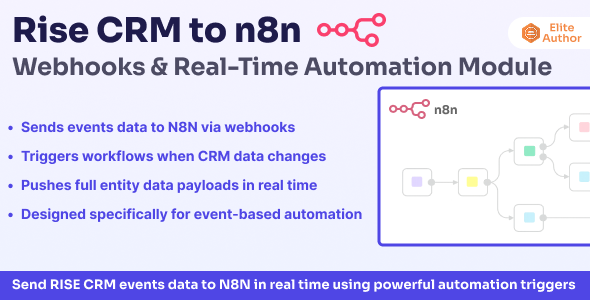
Rise CRM to n8n – Webhooks & Real-Time Automation Plugin
Requirement: This plugin requires a working Rise CRM and an existing n8n instance (self-hosted or cloud-based). n8n installation and server setup are not included.
Brief Description
Rise CRM to n8n Webhooks Plugin enables real-time, event-driven automation by instantly sending webhook events from Rise CRM to your n8n instance.
This plugin transforms Rise CRM into an automation-ready platform — allowing you to build unlimited workflows, integrate with hundreds of services, and automate business operations without recurring subscription fees.
No polling. No delays. Full data ownership.
License Notice
Important: If you are using this plugin in a SaaS, multi-tenant, or client-facing platform, an Extended License is required as per Envato licensing rules.
Key Features
- Real-Time Webhook Triggers: Instantly send events from Rise CRM to n8n the moment an action occurs — true real-time automation without polling.
- Supports Core CRM Events: Leads, Invoices, Proposals, Customers, Contacts, Tasks, Estimates, and more — covering essential CRM workflows.
- Queued & Non-Blocking Processing: All webhook events are processed asynchronously to ensure Rise CRM remains fast and responsive even during high activity.
- Secure Webhook Authentication: Webhook payloads are protected using HMAC-SHA256 signature verification to ensure trusted delivery.
- Event Delivery Logs: Monitor every webhook attempt with detailed logs for debugging, auditing, and reliability tracking.
- Automatic Retry for Failed Webhooks: Intelligent retry handling ensures events are not lost due to temporary failures.
- Optimized for Self-Hosted n8n: Unlimited workflows, full data ownership, and zero monthly automation fees.
Who Can Use This Plugin?
- Small & Medium Businesses (SMEs) – Automate lead handling, invoicing, and customer updates while reducing manual work and operational errors.
- Digital Agencies – Manage multiple clients and automate CRM-driven workflows without paying per-client automation fees.
- Sales & Marketing Teams – Trigger real-time notifications, lead nurturing workflows, and campaign automation whenever CRM data changes.
- SaaS & Platform Businesses – Automate onboarding, billing, and lifecycle workflows in multi-tenant environments (Extended License required).
- Developers & System Integrators – Build advanced integrations and custom workflows using Rise CRM webhook events.
- Service-Based Businesses – Automate client communication, task creation, and internal processes based on CRM activity.
Supported Events – Quick Reference
| Resource | Events |
|---|---|
| Leads | Created, Updated, Deleted, Converted to Client |
| Clients | Created, Updated, Deleted |
| Contacts | Created, Updated, Deleted |
| Projects | Created, Updated, Deleted, Status Changed |
| Tasks | Created, Updated, Deleted, Status Changed |
| Invoices | Created, Updated, Deleted, Status Changed |
| Payments | Created, Deleted |
Additional events will be added based on feasibility.
Webhook Payload Structure
Each webhook includes a standardized JSON payload containing full event metadata and resource data, making it easy to consume in n8n workflows.
- Event Metadata: Event type, timestamp, webhook details
- Resource Data: Full entity data (lead, invoice, customer, etc.)
- Related Information: Status, source, custom fields, and relationships
Real-World Automation Examples
→ Instant Lead Notification
Lead Created → n8n → Slack Alert → Google Sheets → Trello → SMS Notification
→ Automated Invoice Processing
Invoice Created → n8n → QuickBooks → Email Accounting → Update Dashboard
→ Client Onboarding Workflow
Proposal Accepted → n8n → Google Drive → Welcome Email → Mailchimp → Asana
→ Multi-System CRM Sync
Customer Updated → n8n → HubSpot → Salesforce → Zendesk → Audit Log
This plugin replaces Zapier, Make, Pabbly, and similar paid automation tools.
Why Choose n8n for Rise CRM Automation?
- Unlimited Executions – No caps, no overage fees
- 400+ Integrations – Connect virtually any service
- Complete Data Privacy – Self-hosted & secure
- Open-Source Freedom – No vendor lock-in
- Advanced Workflow Logic – IF/ELSE, loops, retries
Installation & Documentation
Follow our step-by-step online documentation Documentation to install and activate the plugin.
Support & Questions
Access our documentation or submit a ticket via our support system. Response time: 12–24 hours.
Changelog
- v1.0.0 – Initial release with core webhook and automation support