Santa Tracker Buildbox template
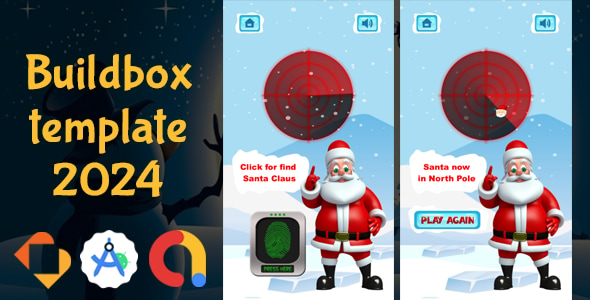
When you buy this item you’ll get the Buildbox Classic 2.24.2 Template (BBDOC).
This Source Code made by Buildbox software Based by Cocos2D Library.
Download demo APK:
FEATURES:
- Android API 34
- 64bit Support
- In-App Billing Version 5.2.1
- Full Game
- Endless Gameplay
- Share
- Review
- Multiple characters
FILES:
- Buildbox Template (BBDOC)
- Android Source Code
- In-App Billing Version 5.2.1
- Documentation
- Video tutorial
MONETIZE:
- Admob Interstitial
- Admob Banner
REQUIREMENT:
- Buildbox Classic 2.24.2 or Newer
- Android Studio Ladybug | 2024.2.1
INSTRUCTION:
To modify and prepare the app for successful publishing on the app store, follow these steps:
1- Change Package ID and App Name:
- Update the Package ID and App Name to be unique to your app.
- This helps avoid any legal or copyright issues when publishing on the store.
- Replace all icons, images, and sounds in the app with unique versions that you create, including any custom sound effects.
- Make sure to configure all necessary data and advertising IDs (ADS ID) to align with your specific accounts.
- Ensure the game name and package name are updated throughout all code and project files to reflect your unique branding.
- Build and test the project to confirm it’s stable and error-free.
- Review documentation included with the files to ensure you’re following the correct procedures and to avoid potential issues.
Following these steps will help you create a your app that’s ready for publishing.
If You Haven’t Installed Buildbox 2.0 Software Yet:
1. Go to the official Buildbox link: https://accounts.buildbox.com/licenses
2. Sign in with your Buildbox account.
3. Download the appropriate version for your operating system (Windows or Mac).
4. Open the “Details” menu to retrieve your license key.
5. Install Buildbox 2.0 on your computer.
6. Enter the license key obtained in the previous step.
7. Update to the latest available version if prompted.
8. Open your Buildbox `.bbdoc` project and enjoy!
Changelog : 2024.11.02 - Upgraded to Buildbox Classic 2.24.2 | Official website https://bit.ly/buildbox2 - Upgraded to Android Studio Ladybug | 2024.2.1 - Android API 34
Changelog : 2024.11.02 - Upgraded to Buildbox Classic 2.24.2 | Official website https://bit.ly/buildbox2 - Upgraded to Android Studio Ladybug | 2024.2.1 - Android API 34