Startup Application .Net 7 + User Management + JWT + Arabic Support + Full Source Code
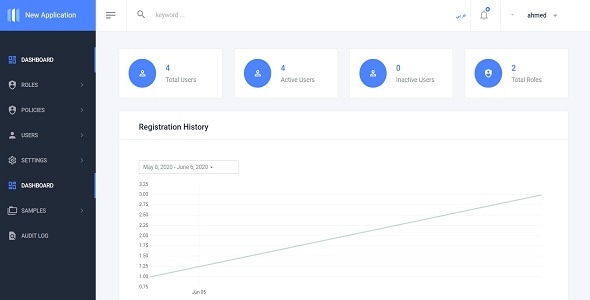
Startup Application + User Management + JWT .Net 7.0 + Arabic Support + Full Source Code
Version v2.0
Introduction
Startup application contains many components you will need to start you new application like User management module , audit trail component , error log ,multitenant , supportarabic .
This web based application is developed on .Net 7.0 using ASP.Net Core, C#, Entity framework core, JavaScript, jQuery, JSON, Bootstrap, HTML, CSS and SQL Server.
Startup Application System has one default role [Admin] , and you can add unlimited roles .
Framework: .Net 7.0
Features :
- Support English / Arabic
- Architecture : Clean Architecture
- Web Api application with JWT authentication for mobile backend
- Full User Management Module
- Users [Create –Edit – Delete – Search]
- Roles [Create –Edit – Delete – Search]
- Policies [Create –Edit – Delete – Search]
- Authentication Settings
- Bind Pages with Policies , using easy user interface
- Login
- Register
- Reset Password
- Error Log : using NLog
- Audit trail : log database actions [add – update -delete] and business actions Like:[CreateOrder,UpdateOrder,etc]
- Multitenant:
- Samples Pages [Create –Edit – Delete – Search]
Quick Start Guide
How to Generate Database Tables
- Open [Package manager console] and in the [Default project] list .. select [Common.Persistance] project
- Write the below commands
- add-migration CreateCommon -context CommonDbContext
- update-database -context CommonDbContext
- Open [Package manager console] and in the [Default project] list .. select [UserManagement.Persistance] project
- Write the below commands
- add-migration CreateIdentity -context ApplicationDbContext
- update-database -context ApplicationDbContext
- Open [Package manager console] and in the [Default project] list .. select [NewApplication.Persistance] project
- add-migration CreateNewApplication -context NewApplicationDbContext
- update-database -context NewApplicationDbContext
- Congratulations , just run the project .
Credentials
- User name : admin
- Password : P@ssw0rd
How to authenticate users for mobile application [JWT]
Send post request to [ http://localhost:65304/api/Users/authenticate ]
with data in request body as below
{
username”,
password “
}
The response will be like this
{
id”,
firstName,
lastName,
username”,
token“
}