Super Store Finder - Marker Clusterer Add-on
This add-on is an extension for and requires Super Store Finder
Super Store Finder – Marker Clusterer Add-on
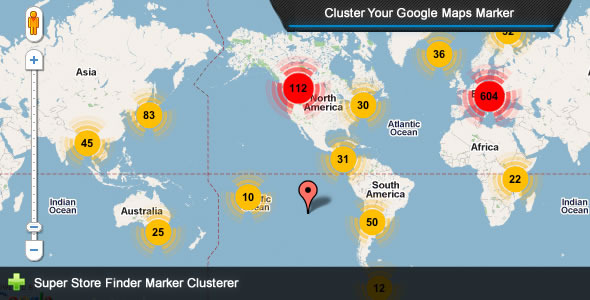
This is an add-on for Super Store Finder application that allows too many markers to be combined and shown in clusters. Super Store Finder is a multi-language fully featured PHP/Javascript/MySQL Application integrated with the latest Google Maps API that allows customers to locate your stores easily. Packed with Geo Location, Google Street View and Google Maps Direction your customers will never be lost again getting to your locations.Main Features
- Allow Google Maps markers to be consolidated into clusters for ease of view
- Increase performance when displaying too many markers
- Easy to understand user guide included
Installation Instructions
- Notice for Super Store Finder Marker Clusterer Add-on:
a. You need to purchase Super Store Finder at http://codecanyon.net/item/super-store-finder/3630922 prior to using this Add-on b. Be sure to backup your existing files and database before performing the steps below
1. If you’re using the standard version (non-responsive), extract and replace content within superstorefinder.zip to your installation folder
2. If you’re using responsive version, extract and replace content within superstorefinder_responsive.zip to your installation folder.
3. If you’re using Mega Locator Theme , extract and replace content within megalocator folder to your installation folder.
4. To change how many minimum markers to cluster if they’re close together, edit super-store-finder.js (non-responsive) or super-store-finder-mobile.js and search / edit the following code :
// Marker Clusterer var mcOptions = {minimumClusterSize : 5}; mc = new MarkerClusterer(map, markers, mcOptions); Change the minimumClusterSize value
4. You’re done!
Support and Inquiries: http://codecanyon.net/user/highwarden
Changelog / Updates
2.1 (Last Update 11 Jun 2022)
- Added compatibility with Super Store Finder 3.5
2.0 (Last Update 12 May 2022)
- Added compatibility with Super Store Finder 3.4
1.9 (Last Update 30 Jul 2019)
- Added compatibility with Super Store Finder 3.1
1.8 (Last Update 29 Mar 2018)
- Added compatibility with Mega Locator Theme 2.0
1.7 (Last Update 13 May 2016)
- Localized marker clusterer images (Google recently removed images from SVN server)
1.6 (Last Update 12 May 2016)
- Added compatibility with Mega Locator 1.7.2
1.5 (Last Update 8 Feb 2016)
- Added compatibility with Mega Locator theme
1.4 (Last Update 11 Jan 2016)
- Updated all codes to mysqli
- Added compatibility to super store finder version 2.8 core
1.3 (Last Update 21st June 2015)
- Added code to allow integration with custom map code settings (refer to Super Store Finder item patch 2.6)
1.2 (Last updated: 22 Feb 2015)
- -Revamp to adhere to patch 2.4 Super Store Finder (Settings in admin area)