Telegram ChatBot Pro
Want to Resale software ? check video https://youtu.be/ZKtteuNkqxY
You can create Two types of Rules :
100% working software and also best selling software for telegram chatbot. if you face any issue/ want to white label software you can email us at [email protected]
What is Telegram ChatBot Pro Software ?
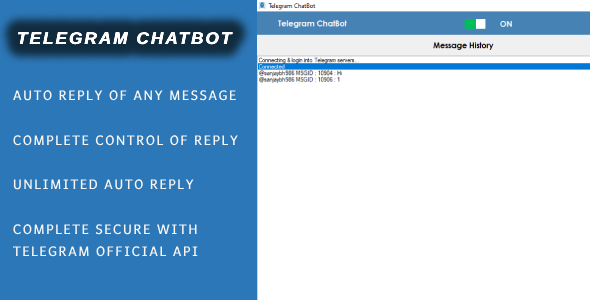
Telegram ChatBot Pro Software – is advance unique pro software for Telegram that is Auto Respond/Reply to Every message for your business as per Reply Rule Setup.
-
- Telegram Auto Reply to Chat Message which you recieved in your Telegram profile
- Set Unlimited Telegram Reply Rule on Software
- Official Telegram Login
- Lifetime License for single machine
- 6 month support included
Installation Process
- You will Recieve only Software. Code is not Included
- After Purchase Product, Evanto Purchase code is software Licence code. you can check what is Purchase Code from this link : https://help.market.envato.com/hc/en-us/articles/202822600-Where-Is-My-Purchase-Code- if any issue email at : [email protected]
- After i Confirm your purchase Code , Please Unzip Main File and Run TelegramChatBot.exe and Register your Licence as per below Screen.
- Licence Email : Registered Email.
- Registration Code : Evanto Purchase Code.
- After Registration you can Use Software.
Getting Started
After Registration Licence , Start Software, software start with below screen
Telegram Login Configuration : Please click on Setting icon Top Right side and Click on Telegram Autherize Menu and login to your Telegram account with below detail.
- API ID : Telegram API ID.
- API Hash : Telegram API Hash.
- For Generate Telegram API ID and Hash, please check Detail ” target=”_blank”>https://core.telegram.org/api/obtaining_api_id#::text=Obtaining%20api_id&text=Log%20in%20to%20your%20Telegram,one%20api_id%20connected%20to%20it
- Phone (With Country Code) : Enter your Telegram account phone number with country code like for india Country code is : 91
- After fill detail ,click on Login button, then Telegram will send you Login Verification code, then in software please fill Code, click on Verify button
- Click on Save button for save all configuration on Software.
Configure Rules- Please click on Setting icon Top Right side and Click on Configure Rules Menu
- WelcomeMessage : This is welcome message is sent automatically when someone send message and does not match with any reply rule.
Example :Please chooze our service 1 : you press 1 2 : you press 2 back: back to menu
- Rules : You can create Rules With your Rule Keyword : Like you want if user send message keyword: 1 then you want to send some unique message to your user
- Rule Name : Unique name of your rule
- Rule Keyword : Unique keyword of your rule like for example your add : 1
- Message :Message is sent when someone send message equal to Rule keyword
- Attachment :You can add attachment of anytype
- Enabled : you can enable or disable your rule
- isAttachmentfirst ?: if your reply rule contains message and attachment both, then if you want send Attachment first then Message then enable this option.
Now You can Start Telegram Chatbot Process, so that chatbot respond user message
Support Policy
- Support Will provide from our profile Contact form on codecanyon .
- Support Will not Provide any types of customization.
- If you need any customization so extra cost will be charge.
- Single license support will provide for one single domain.