Videopilot - Autopilot Youtube Video Script
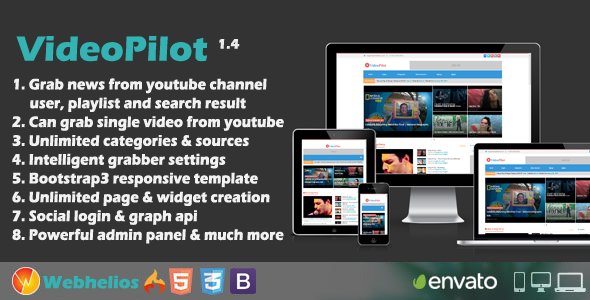
VideoPilot : Autopilot Youtube Video Script
Just Install and set youtube sources. It will grab new videos automatically. [NB:It doesn’t have a video upload option, it’s a auto grabber script]
Demo preview
- Front end demo – http://videopilot.webhelios.com
- General user login – ( [email protected] , 12345)
- Moderator login – ( [email protected] , 12345)
- Admin demo – http://videopilot.webhelios.com/index.php/admin
- Admin login – (admin , 12345)
VideoPilot features.
- Easy 2 step installation
- Responsive design with Bootstrap3
- 3 types of users(Admin, Moderator and General user)
- Easy cron setup for autograbbing Youtube videos from channels, users, playlist and search result.
- Dashboard statistics
- Create unlimited Categoris and Sub-categories
- Create unlimited youtube vide sources
- Easy & intelligent scheduling for video grabbing
- Can grab single video from youtube
- Can Import videos Manually and Automatically(Cron job)
- Create unlimited widgets
- Change homepage content by drag drop
- Widget generator
- Place unlimited ads using widgets
- Easy user management
- Create unlimited pages
- Image and database backup tools
- Easy translateable front end and admin panel
- RTL support
- SEO friendly url
- Change logo, site title etc from admin panel
- DISQUS and FACEBOOK comment system intigrated
- Lazy loading for images
- Sitemap generator
- Open Graph to display Image when share to social networks
- and lot more
Changelog
Version 1.4.0 – 10.01.2020
-Plain Search bug solved [FIX] -Video grabbing paginition bug solved for improving performance [FIX] -Slight changes on css [UPDATE]
Version 1.3.0 – 02.01.2018
-Widget generator category more link issue solved [DONE] -Video Url’s are broken if they contain an (‘) or (#) [DONE] -add option to show hide related youtube videos on screen [DONE] -facebook comment plugin version update[DONE] -use polular video for banner[DONE] -News with matched words only option added [NEW] -Block news with matched words option added [NEW]<p>Version 1.2.0 – 15.02.2017</p> <pre> -RTL support added on tinymce editor [UPDATE] -Related widget wrong videos issue solved [FIX] -RTL mega menu issue fixed [FIX] -Some minot link fixed on detail page [FIX] -Detail page sidebar widget alignment issue for RTL languages [FIX] -Added google plus login option (Admin poanel > content > settings) [NEW] -Select all option added on all categories page [UPDATE] -Filtering option added on Admin panel all videos page [NEW] -Updated paginition on all videos pages [UPDATE] -CSS and JS directory cleared for theme directory [UPDATE] </pre> <p>Version 1.1.0 – 15.01.2017</p> <pre> - Initial Release </pre> <h3 id="item-description__how-to-update">How to update</h3> <p> 1. If you dont make any customization on any files then Just upload the update_<strong>_*.zip from admin panel > upload and click “upload & install button” <p>or if you want to install the update manually, extract update_</p></strong>_*.zip and then follow the below steps</p> <p>1. Replace ROOT/application directory with application directory [Merge and replace] 2. Replace ROOT/dbc_config directory with dbc_config directory [Merge and replace] 3. Replace ROOT/system directory with system directory [Merge and replace] 4. Replace ROOT/assets directory with assets directory [Merge and replace]</p> <p><b>NB: Please create a sql backup before update. Also if any custom work is done on you script then please replace files carefully so that your custom works do not loose. If possible take a file backup also. The update pack contains css files , view files , language files. So please take backup before doing anything. </b></p> <h3 id="item-description__support">Support</h3> For presale question and after sales developer support, pls send your message to <a href="mailto:[email protected]">[email protected]</a> <h3 id="item-description__please-check-the-faq-for-more-info">Please check the FAQ for more info</h3> <a href="http://support.webhelios.com/index.php/en/show/faq" rel="nofollow"> <img src="http://webhelios.com/app/videopilot/doc/cc/faq.png" /> </a> <h3 id="item-description__please-rate">Please Rate</h3> <p><strong>If you like our product please rate it.</strong></p> <img src="http://webhelios.com/app/whizbiz/doc/cc/5star.png" /> <h3 id="item-description__image-credit">Image Credit</h3> <a href="http://imagefinder.co" rel="nofollow">http://imagefinder.co</a> <p><br /> <br /> <a href="http://info.flagcounter.com/3fTk" rel="nofollow"><img src="http://s11.flagcounter.com/count/3fTk/bg_FFFFFF/txt_000000/border_CCCCCC/columns_2/maxflags_12/viewers_0/labels_0/pageviews_0/flags_0/" alt="Flag Counter" /></a></p>