Webhook and n8n Automation Module for Concord CRM
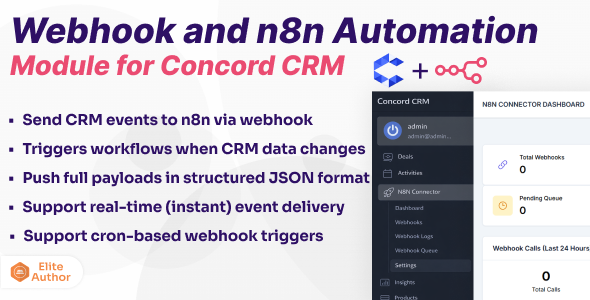
Note: This module requires a working Concord CRM and an existing n8n instance (self-hosted or cloud-based). n8n installation and server setup are not included with this module.
Webhook and n8n Automation Module for Concord CRM
Brief Description
Webhook and n8n Automation Module for Concord CRM enables event-driven automation by sending real-time and scheduled webhook events from Concord CRM directly to your n8n workflows.
This module makes Concord CRM automation-ready, allowing you to trigger workflows, sync data, and integrate with hundreds of external services without relying on expensive third-party automation platforms.
Instant triggers. Cron-based triggers. Full entity payloads.
Note: This module requires Concord CRM version 1.7.0 or greater.
Key Features
- Instant Webhook Triggers: Send events to n8n immediately when Concord CRM data is created, updated, or deleted.
- Cron-Based / Scheduled Triggers: Trigger automation workflows on a defined schedule for controlled or batch processing.
- Full Entity Payload Delivery: Push complete CRM entity data in structured JSON format.
- Event-Based Automation Architecture: Designed specifically for event-driven workflows.
- Webhook Execution Logs: Track every webhook request with timestamps and execution status.
- Failure Tracking & Debugging: Identify failed webhook deliveries and troubleshoot automation issues easily.
- Non-Blocking Processing: Webhook execution does not slow down Concord CRM operations.
- Optimized for n8n: Works seamlessly with n8n webhook nodes without additional adapters.
Who Can Use This Module?
- Businesses & Teams
Automate CRM-driven workflows such as deal updates, activities, and internal notifications. - Agencies & Consultants
Build automation workflows for multiple clients without per-execution fees. - SaaS & Platform Owners
Trigger onboarding, lifecycle, and operational workflows (Extended License required). - Developers & System Integrators
Create custom integrations using Concord CRM webhook events. - Operations & Support Teams
Automate calls, notes, activities, and cross-system synchronization.
Supported Events – Quick Reference
| Entity | Events |
|---|---|
| Contacts | Created, Updated, Deleted |
| Companies | Created, Updated, Deleted |
| Deals | Created, Updated, Deleted, Won, Lost, Status Changed |
| Activities | Created, Updated, Deleted |
| Documents | Created, Updated, Deleted |
| Notes | Created, Updated, Deleted |
| Calls | Created, Updated, Deleted, Missed Call, Incoming Call |
*Additional events may be added in future updates based on Concord CRM capabilities.
Screenshots
Webhook Payload Structure
Each webhook sends a standardized JSON payload containing event metadata and complete entity data, making it easy to consume inside n8n workflows.
- Event Metadata: Event name, trigger type, timestamp
- Entity Data: Full CRM record payload
- Context Information: IDs, relationships, and references
Real-World Automation Examples
Instant Deal Notification
Deal Won → n8n → Slack Alert → Team Notification → CRM Update
Scheduled Data Synchronization
Cron Trigger → n8n → Concord CRM → External Database → Reporting Tool
Call & Activity Automation
Incoming Call → n8n → Create Activity → Notify Sales Team & Lead → Log Note & send whatsapp notification
This module can replace paid automation tools such as Zapier, Make, and Pabbly.
Why Use n8n with Concord CRM?
- Unlimited Executions – No usage caps or overage fees
- Self-Hosted Control – Full data ownership
- Hundreds of Integrations – Connect almost any service
- Advanced Workflow Logic – Conditions, retries, branching
- Open-Source Flexibility – No vendor lock-in
Installation & Documentation
Step-by-step installation and configuration instructions are available in our online documentation .
Video Demonstration
Watch our video walkthrough demonstrating Concord CRM webhook automation with n8n.
License Notice
Important: If this module is used in a SaaS, multi-tenant, or client-facing environment, an Extended License is required according to Envato licensing terms.
Support & Questions
For setup assistance and technical support, please refer to the documentation or submit a support ticket. Typical response time is 12–24 hours.
Changelog
Version 1.0
- Initial release for Concord CRM