WhatsApp Chat Support - WordPress Plugin
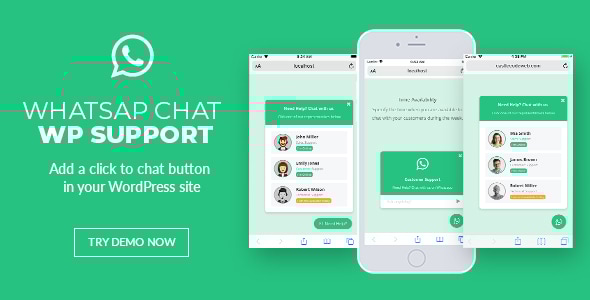
WordPress WhatsApp chat support plugin that provides a quick and easy way to interact with your clients. This plugin will allow your customers to send WhatsApp messages directly to your support team.
You can just add this click-to-chat plugin in your existing WordPress theme or website.
This jQuery WhatsApp plugin displays a list of WhatsApp accounts on your site and when clicked will take your customer to https://web.whatsapp.com/ if he is on desktop, or will open the WhatsApp application if he is on mobile.
Mobile Screenshot
Desktop Screenshot
User Friendly Admin Panel
Configure it anyway you want, with the tons of options you’ll have
Import/Export your WhatsApp Buttons
- User friendly admin panel
The plugin comes with a friendly admin panel so you can edit and configure your WhatsApp button anyway you want using tons of options, also you can create as many buttons as you want
- Video tutorials
The docs comes with video-tutorials so you can quickly learn how to use this plugin, check them out here
- Shortcode support
Place your WhatsApp buttons via shortcode in any page or post
- Add it to all your pages
You can configure to show your WhatsApp button in all your WP pages and exclude some if needed
- WooCommerce support
You can specify your WhatsApp button to show up after/before the “Add to Cart” button in your WooCommerce products
- Import / Export
You can import and export any of your WhatsApp buttons, in case you need to migrate or make a backup
- Single and multiple accounts
You can show each member of your support team with their names and titles, so your customers can contact them individually
- Define time availability
Specify the time when you and your team are available to chat with your customers during the week. Each of your support members can have different availability.
- Let your customers see when you are offline
Specify the message to show your customers when you are not available.
- Pre-defined text
You can make it easier for your customers and have a pre-defined text for them, so it is easier for them to start a conversation.
- Availability in your customer’s timezone
If your customer is in a different timezone your availability will be automatically converted for him.
- Easy to customize
You can easily customize it via CSS or you can even play around with the HTML.
- Lifetime updates
You can ask any question regarding the plugin before or after you buy and also you get free lifetime updates.
v1.1 – August 13, 2020
- Fixed issue with WP 5.5 (the admin section was showing a loading icon only)
v1.0 – August 08, 2019
- Initial release
You can take a look to the documentation HERE